> ## Documentation Index
> Fetch the complete documentation index at: https://www.cashfree.com/docs/llms.txt
> Use this file to discover all available pages before exploring further.
# Vendor On-Demand Settlements
> Configure Cashfree Easy Split vendor on-demand settlements so vendors request payouts whenever they need them and instantly transfer their available balance.
You can settle the balance to a vendor on-demand from the [Merchant Dashboard](https://merchant.cashfree.com/auth/login) or through the [On-Demand Transfer API](/api-reference/payments/latest/split/settlements/on-demand-transfer). The on-demand settlements are processed through **RTGS**/**IMPS** rails. Cashfree Payments levies a small fee : **On Demand Service Charge** to process these settlements.
There are two types of On-demand settlements in Easy Split,
* On-demand settlement based on interval
* On-demand settlement based on the amount
## Initiate on-demand settlement based on interval
1. Go to **Payment Gateway Dashboard** > **Easy Split** > **Vendors** > **Settle Now**.
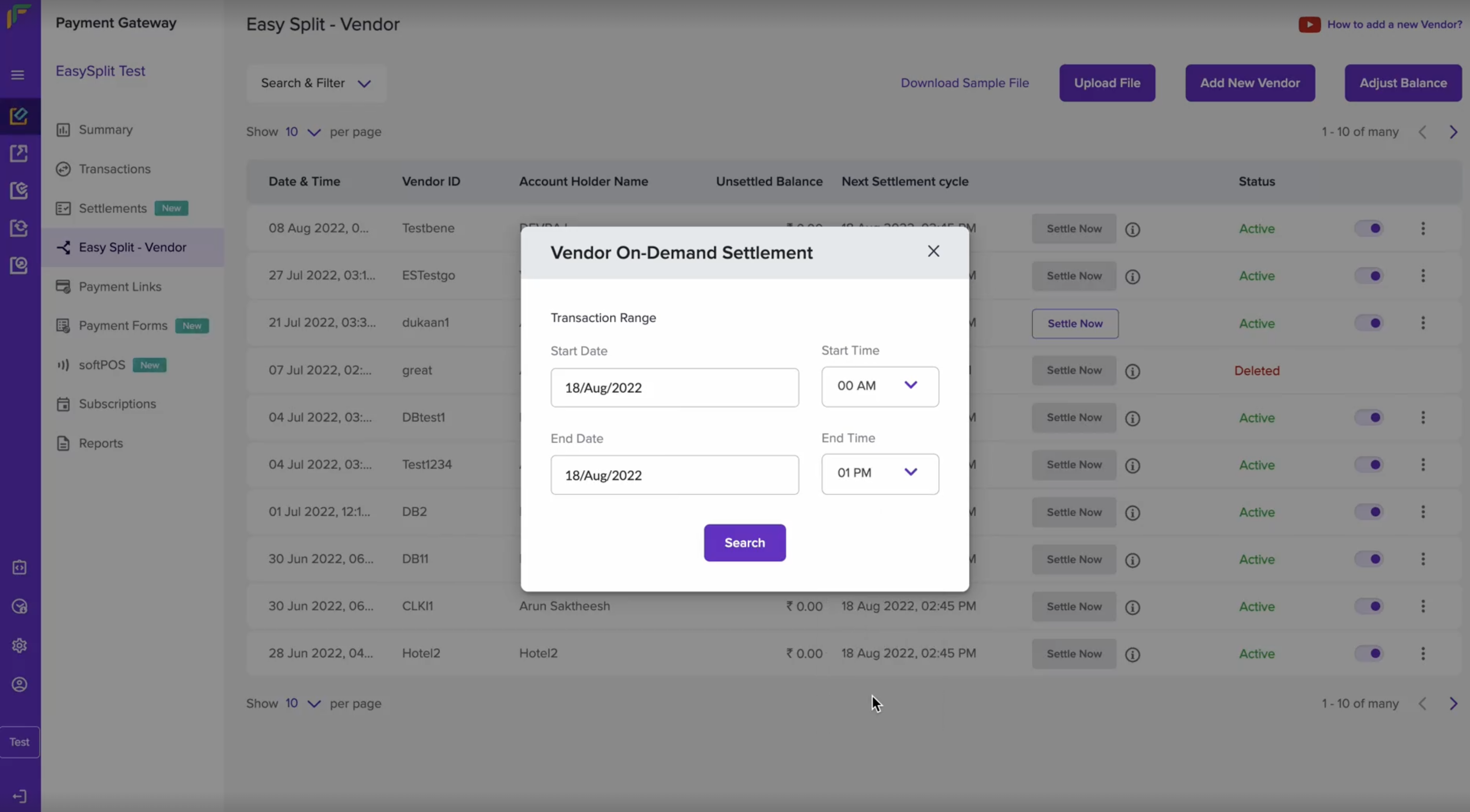
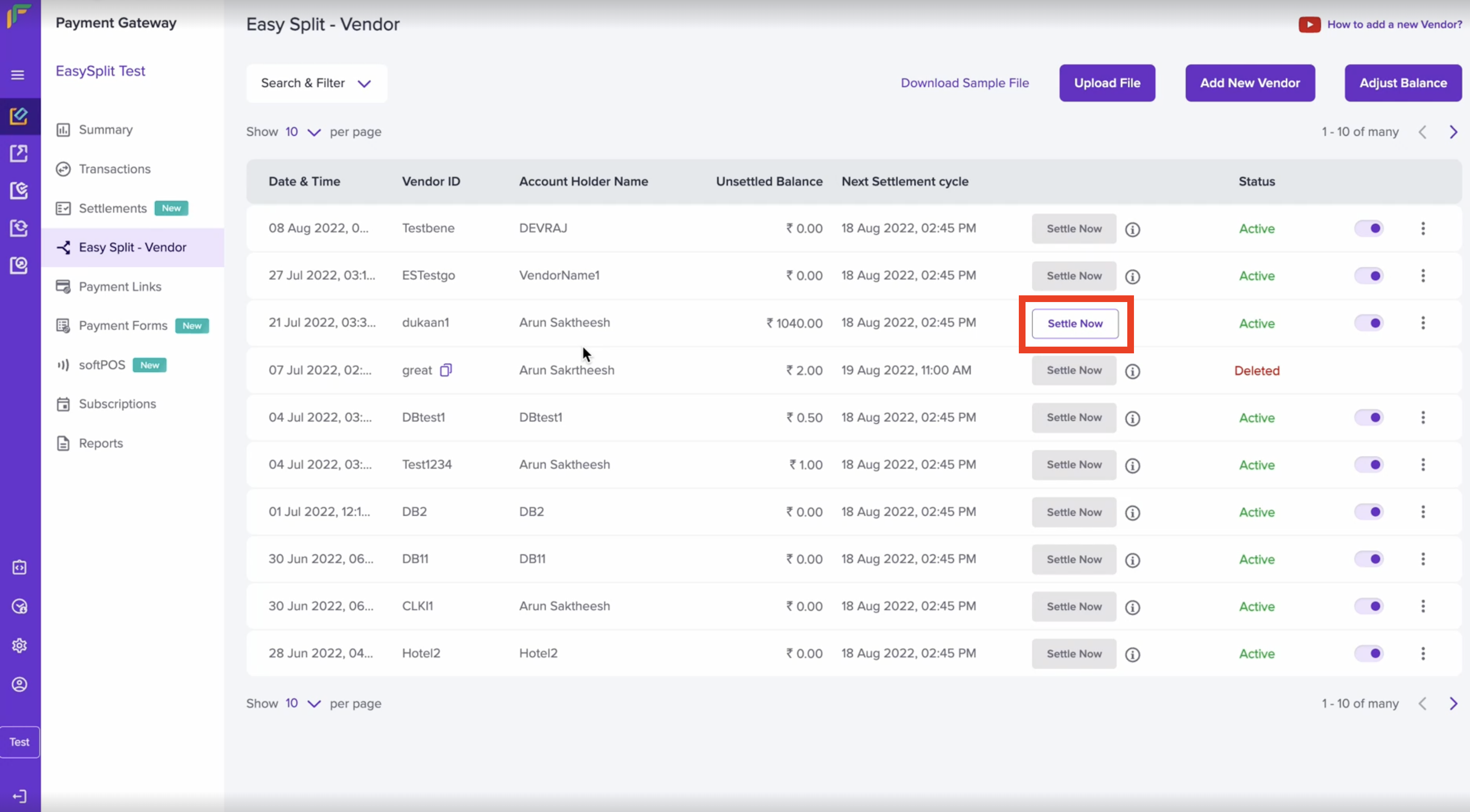 2. Mention the Start Date and Time, End Date and Time and click **Search**.
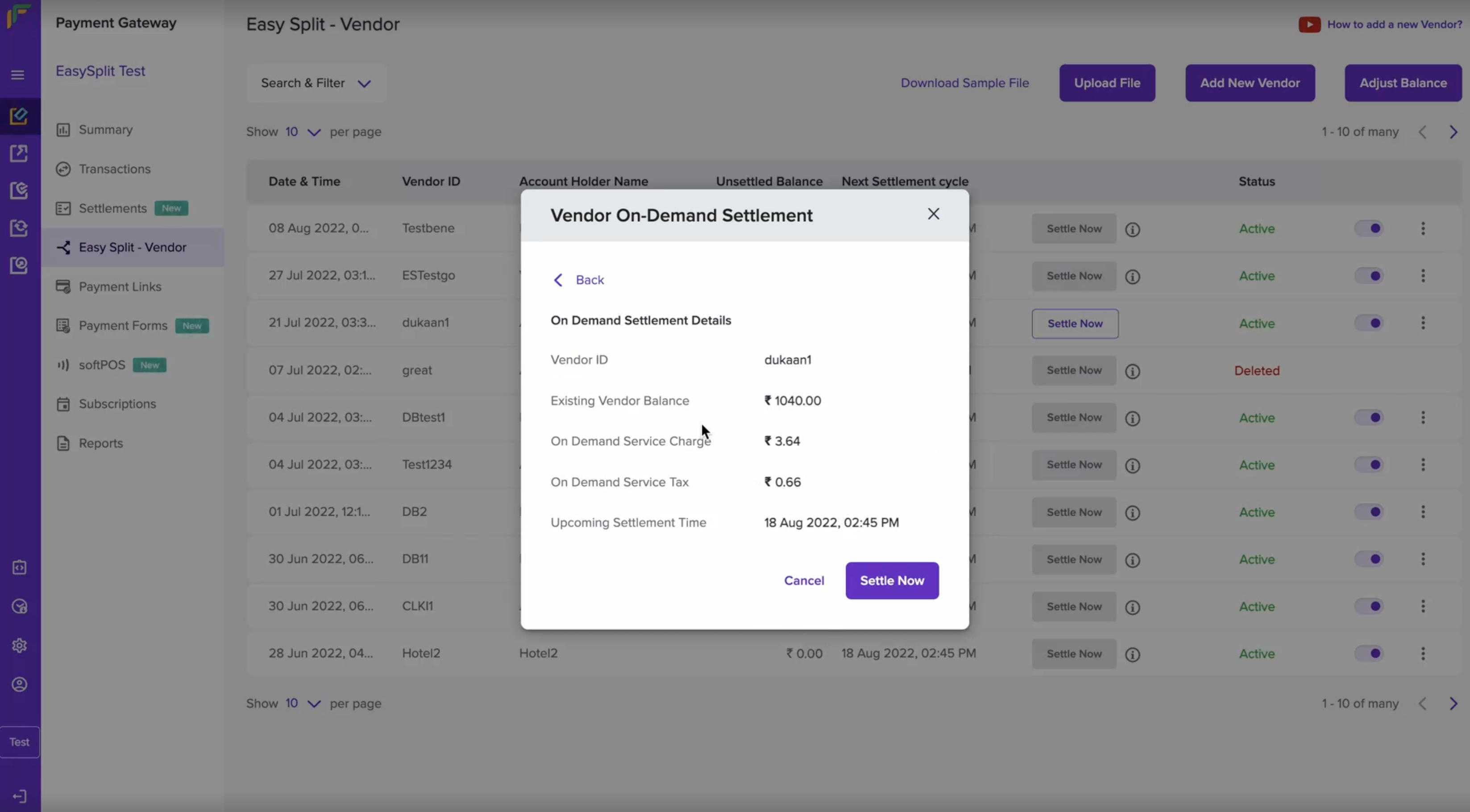
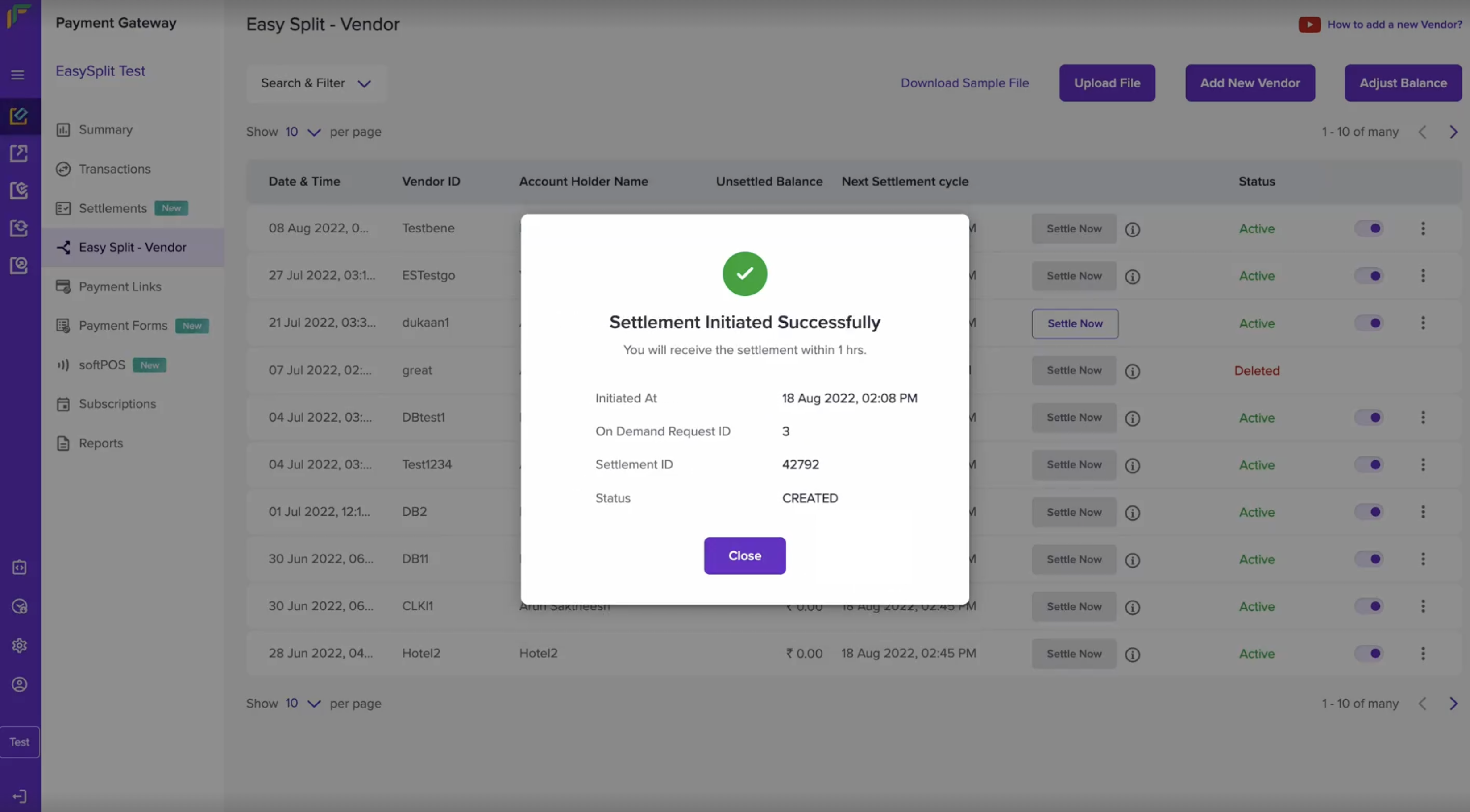
 3. The related On-Demand settlement will be shown. Verify the vendor ID, the settlement amount, and the settlement time. Once done, click **Settle Now**.
 4. You will now get a message that your On-demand settlement has been initiated successfully.
 You can settle vendor balances on-demand only if: The vendor balance is
greater than or equals Rs. 1000. - Transactions are processed at least 15
minutes before initiating on-demand settlements through
[API](/api-reference/payments/latest/split/settlements/on-demand-transfer). - Transactions are processed at least 1 hour
before initiating on-demand settlements through the [Merchant Dashboard](https://merchant.cashfree.com/auth/login).
## Initiate on-demand settlement based on amount
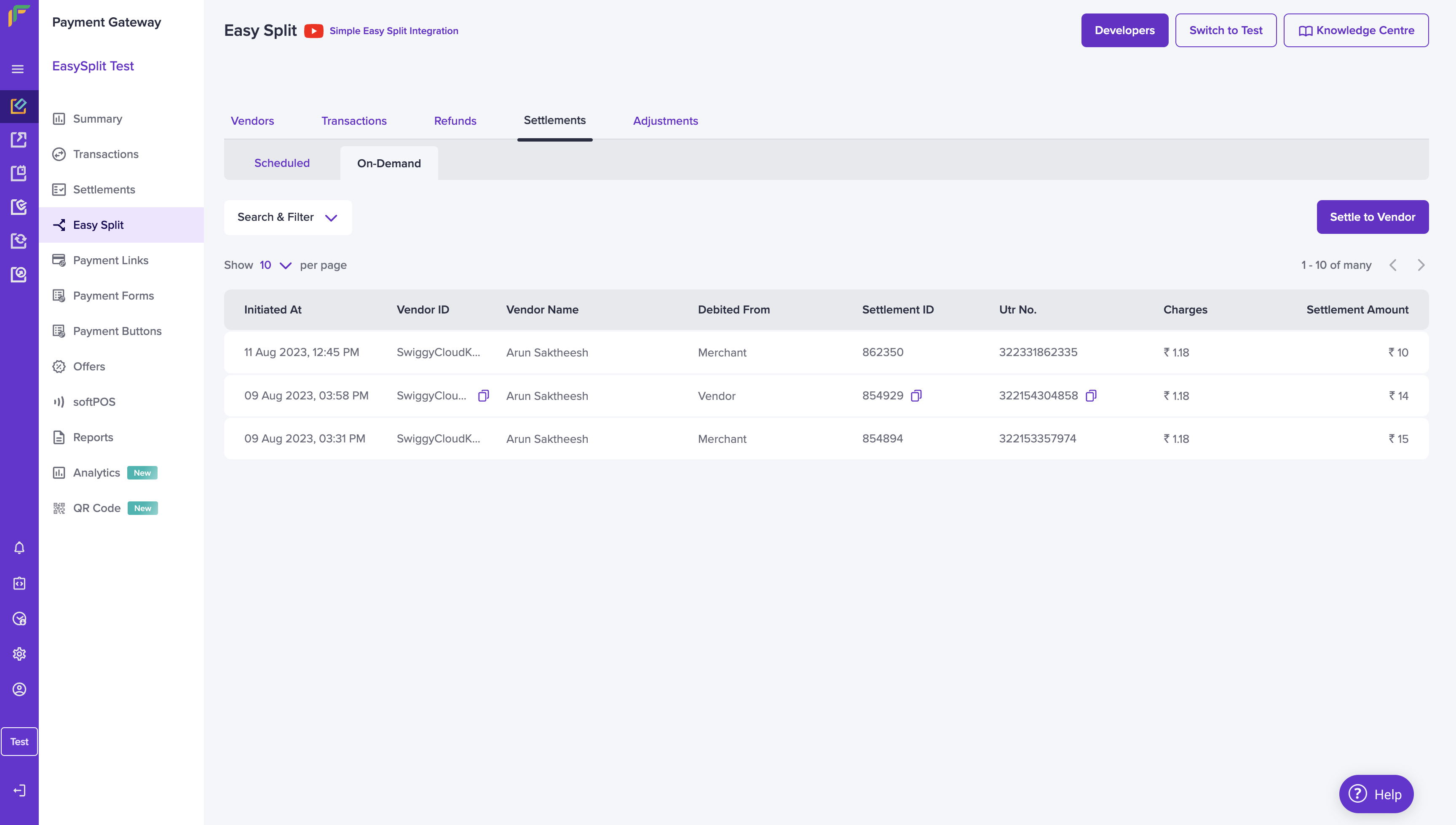
1. Go to **Payment Gateway Dashboard** > **Easy Split** > **Settlements** > **On-Demand** > **Settle to Vendor**.
You can settle vendor balances on-demand only if: The vendor balance is
greater than or equals Rs. 1000. - Transactions are processed at least 15
minutes before initiating on-demand settlements through
[API](/api-reference/payments/latest/split/settlements/on-demand-transfer). - Transactions are processed at least 1 hour
before initiating on-demand settlements through the [Merchant Dashboard](https://merchant.cashfree.com/auth/login).
## Initiate on-demand settlement based on amount
1. Go to **Payment Gateway Dashboard** > **Easy Split** > **Settlements** > **On-Demand** > **Settle to Vendor**.
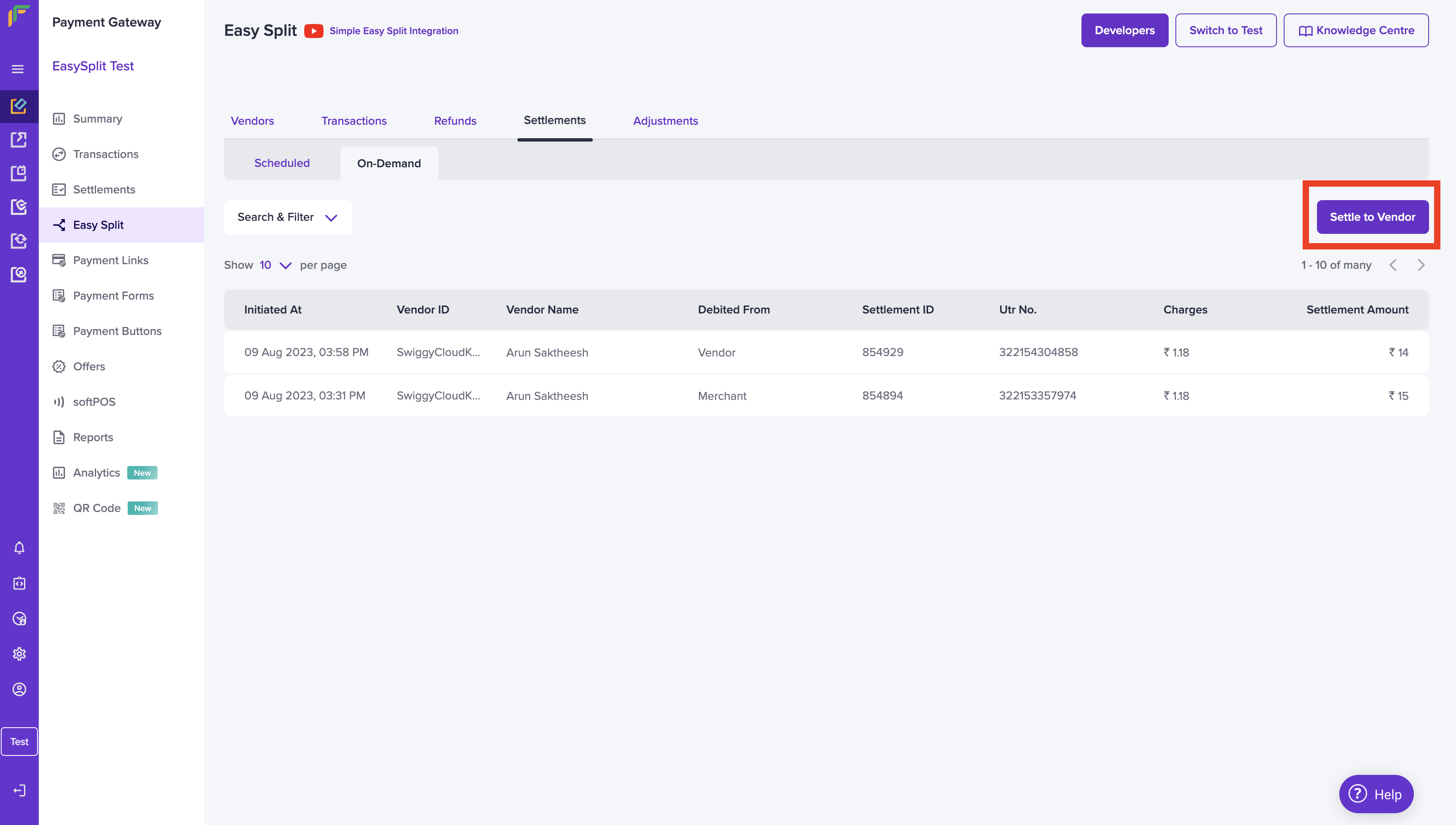 2. In the "Create On Demand Settlement to Vendor" pop-up, enter the **vendor ID** to which you must settle. Choose the Debit Account, you can either choose to debit from your unsettled balance or debit from your vendor's unsettled balance.
3. Enter the withdrawal amount, add tags if needed and click **Transfer Balance**.
2. In the "Create On Demand Settlement to Vendor" pop-up, enter the **vendor ID** to which you must settle. Choose the Debit Account, you can either choose to debit from your unsettled balance or debit from your vendor's unsettled balance.
3. Enter the withdrawal amount, add tags if needed and click **Transfer Balance**.
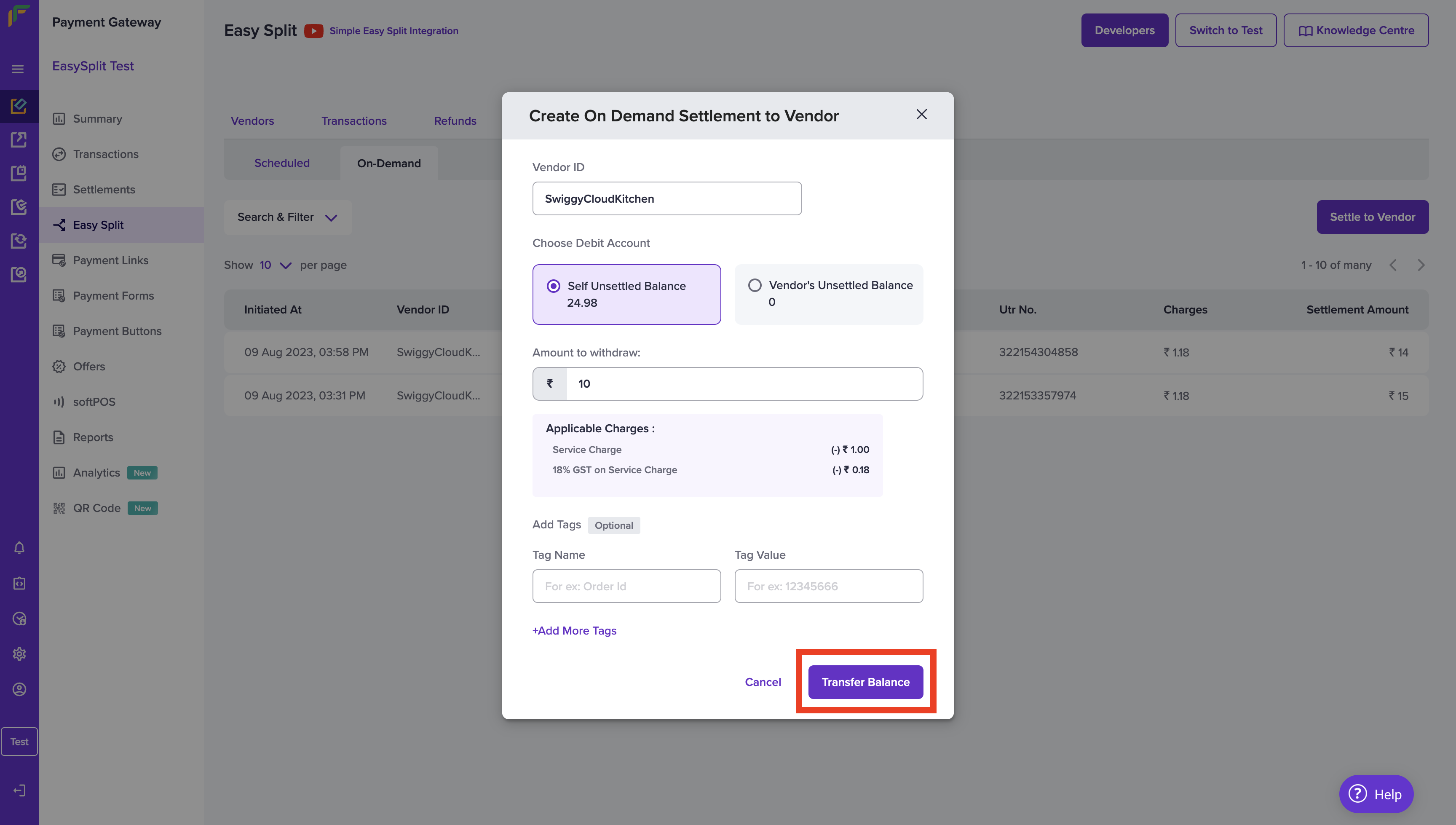 4. Once done, you will receive a message stating the On-Demand Settlement was initiated successfully.
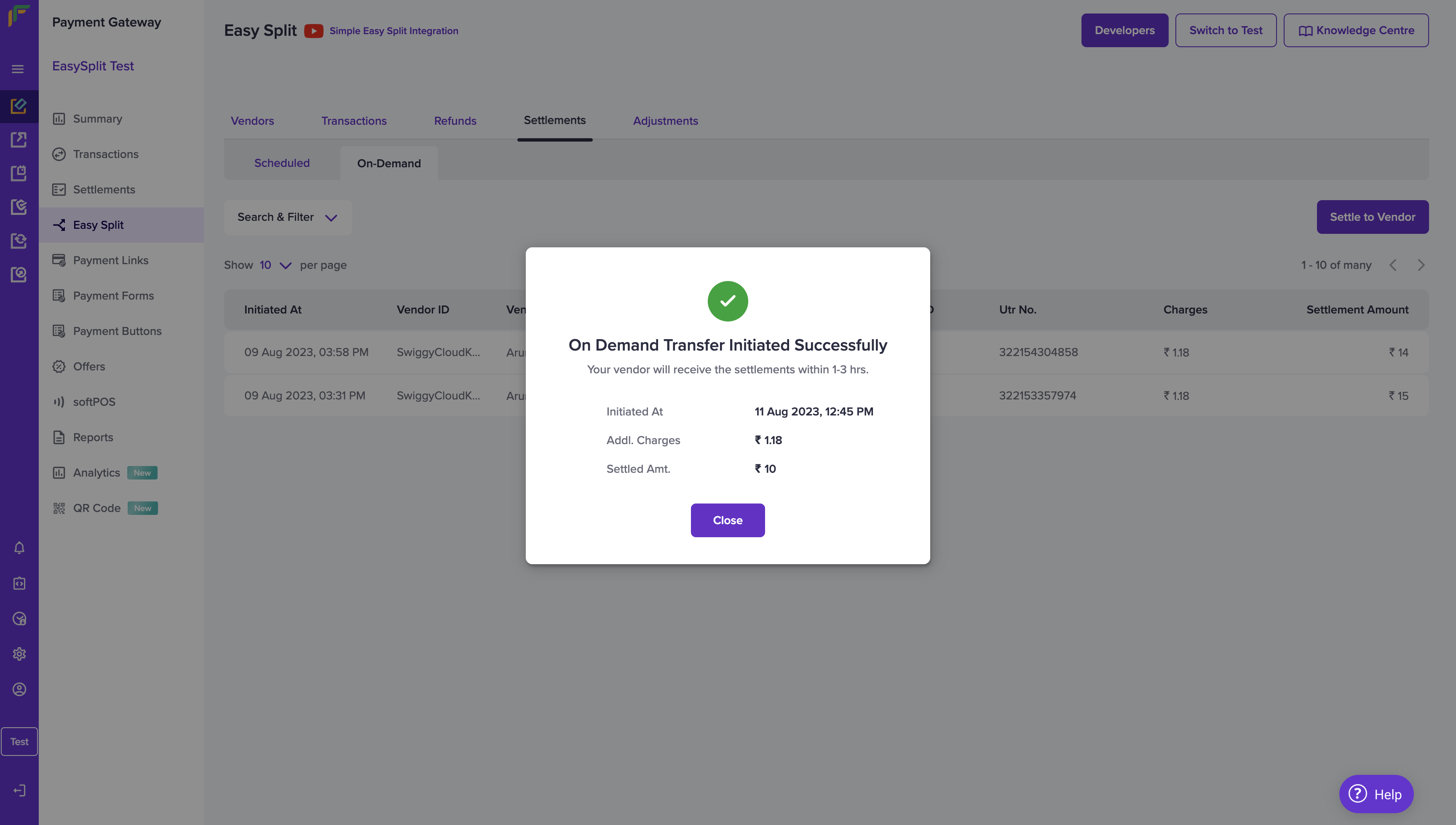 You can view all your On-Demand Settlements from the On-Demand Settlements home page.