

Access the dashboard
To open the dashboard:- Log in to the Merchant Dashboard.
- Select Secure ID > Video KYC > Agents & Auditors.
- Select the Agents or Auditors tab.
Dashboard components
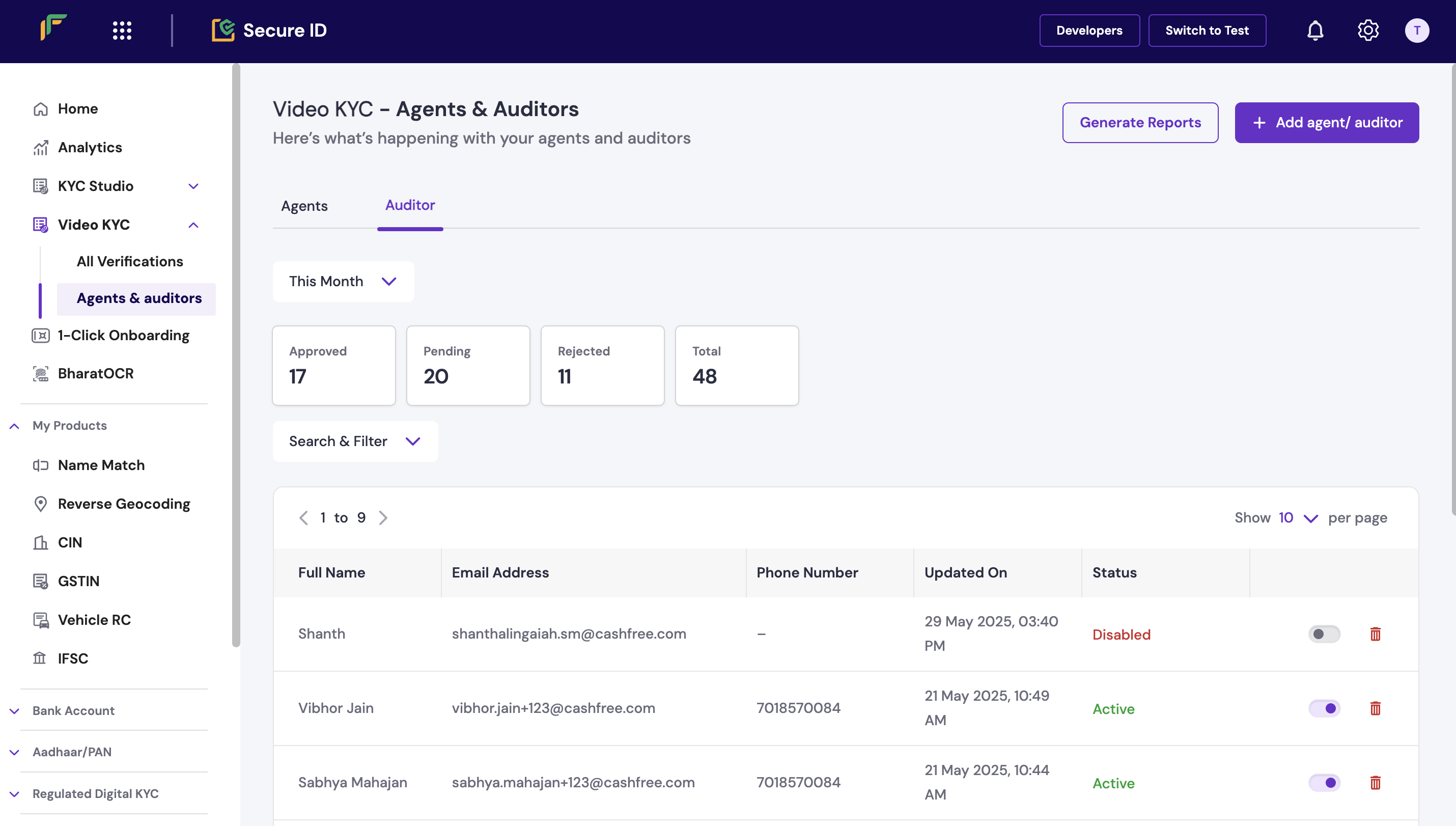
The dashboard consists the following two tabs:- Agent
- Auditor
The Agent tab displays information about users who conduct KYC sessions. Use this tab to manage agent accounts and view status.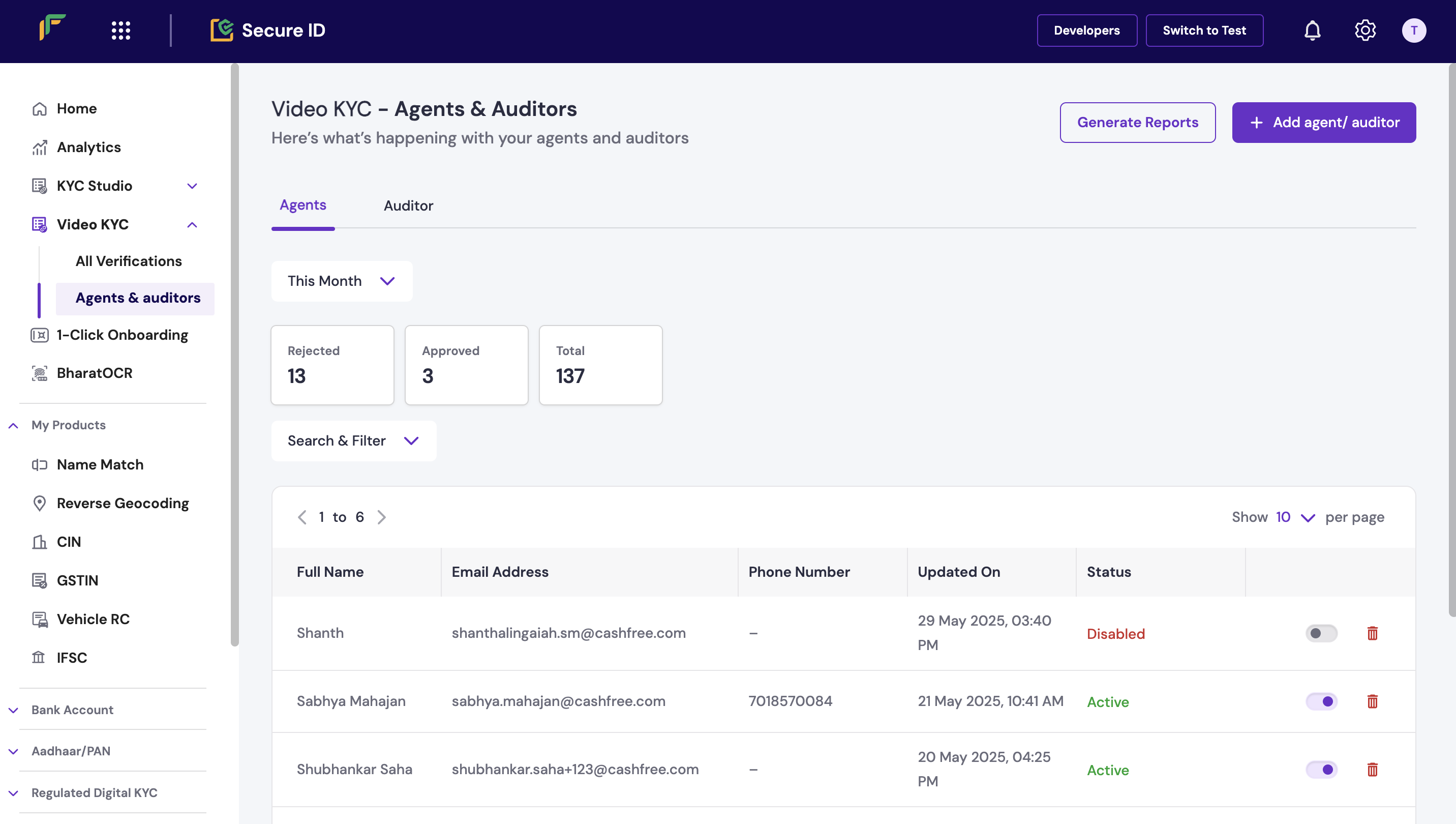
Time filter
Select a time range from the Time filter drop-down list to view data for a specific period.Summary panels
Each tab includes the following panels:- Approved: Total number of users approved during the selected time range.
- Pending: Users with pending verification or approval steps.
- Rejected: Users who were not approved.
- Total: Total number of users listed in the tab.
Search and filter users
Use the following tools to find specific users:- Search: Enter a full name or email address.
- Status filter: Filter users by status, such as Active or Inactive.