

- Log in to the Merchant Dashboard.
- Go to the Secure ID Dashboard > Reports > select Aadhaar Verification in the Report Type field.
- Click Generate Report.
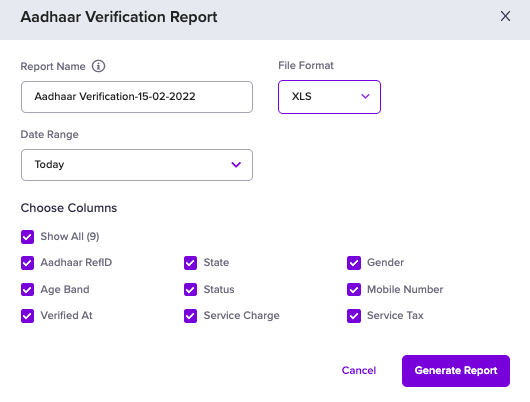
- Specify a name for the report if you want it to be different from the one suggested.
- Select the required File Format, .csv and .xls are supported.
- Specify the Date Range for which you want to view the report.
- Select the details you want to include in the report, as shown below.
- Click Generate. The generated report will be available for download in the Reports section.