

Add an agent or auditor
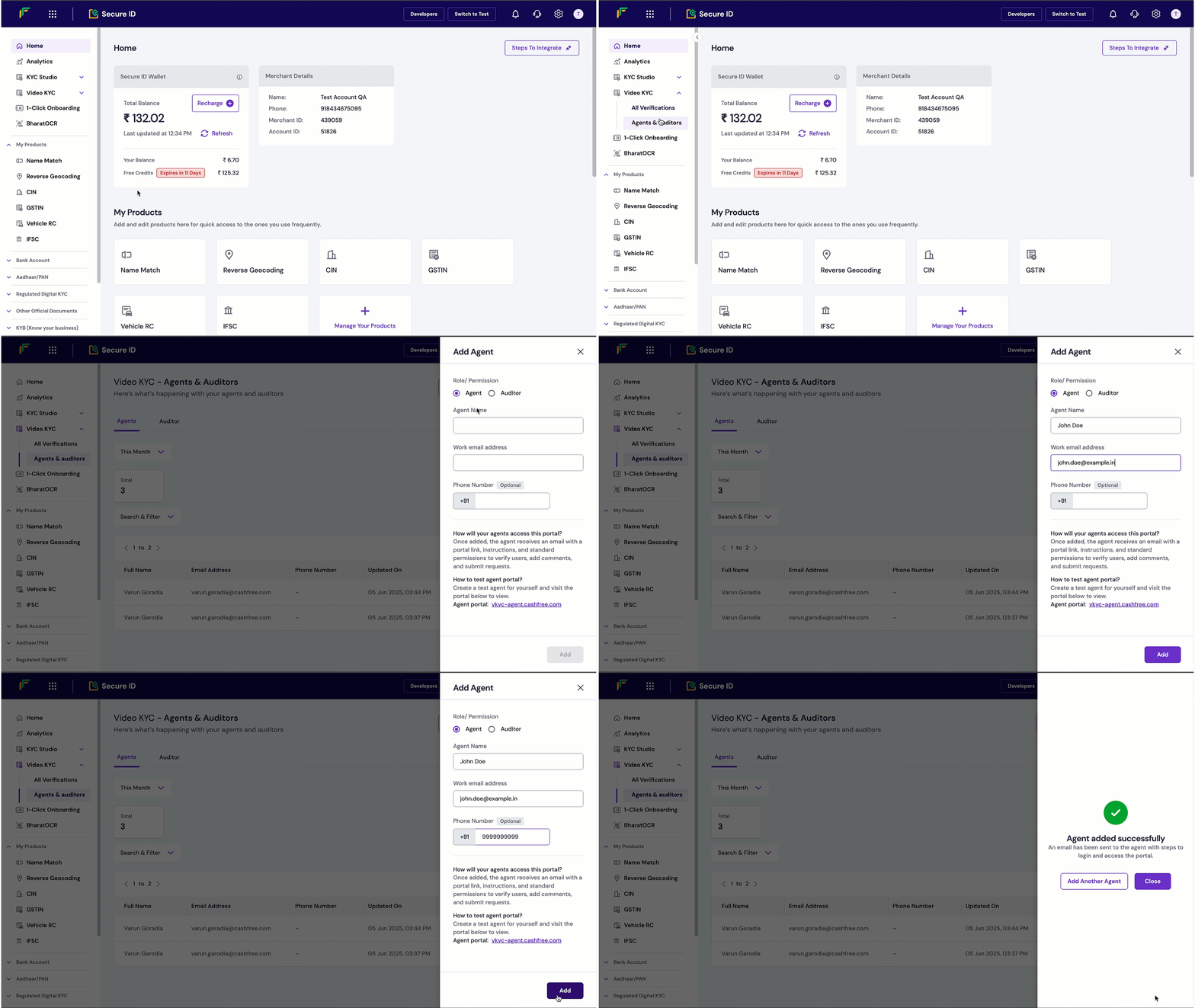
To add an agent or auditor:- Log in to the Merchant Dashboard.
- Go to Secure ID > Video KYC > Agents & Auditors.
- Select + Add Agent/Auditor.
- Under Role/Permission, select Agent or Auditor.
- In the Name field, enter the user’s full name.
- In the Work email address field, enter the user’s email.
- (Optional) In the Phone number field, enter the user’s contact number.
- Select Add.
Test environment information
To test Video KYC functionality, create test accounts for both agent and auditor roles and familiarise yourself with the configurations. Use these URLs to access the Video KYC portals in the test environment:- Agent portal: vkyc-agent-test.cashfree.com
- Auditor portal: vkyc-auditor-test.cashfree.com