

Add webhooks
Add your webhook URL in our system for us to deliver webhook events. Follow the instructions below to configure the webhook URL. Ensure to provide the publicly accessible HTTPS URL to your webhook endpoint.- Log in to the Merchant Dashboard and click Developers.
- Click Webhooks listed under the Secure ID card.
- Click Add Webhook URL in the Webhook screen.
- In the Add Webhook popup, fill in the following information:
- Webhook URL: Enter the URL in this field.
- Click Test & Add Webhook.
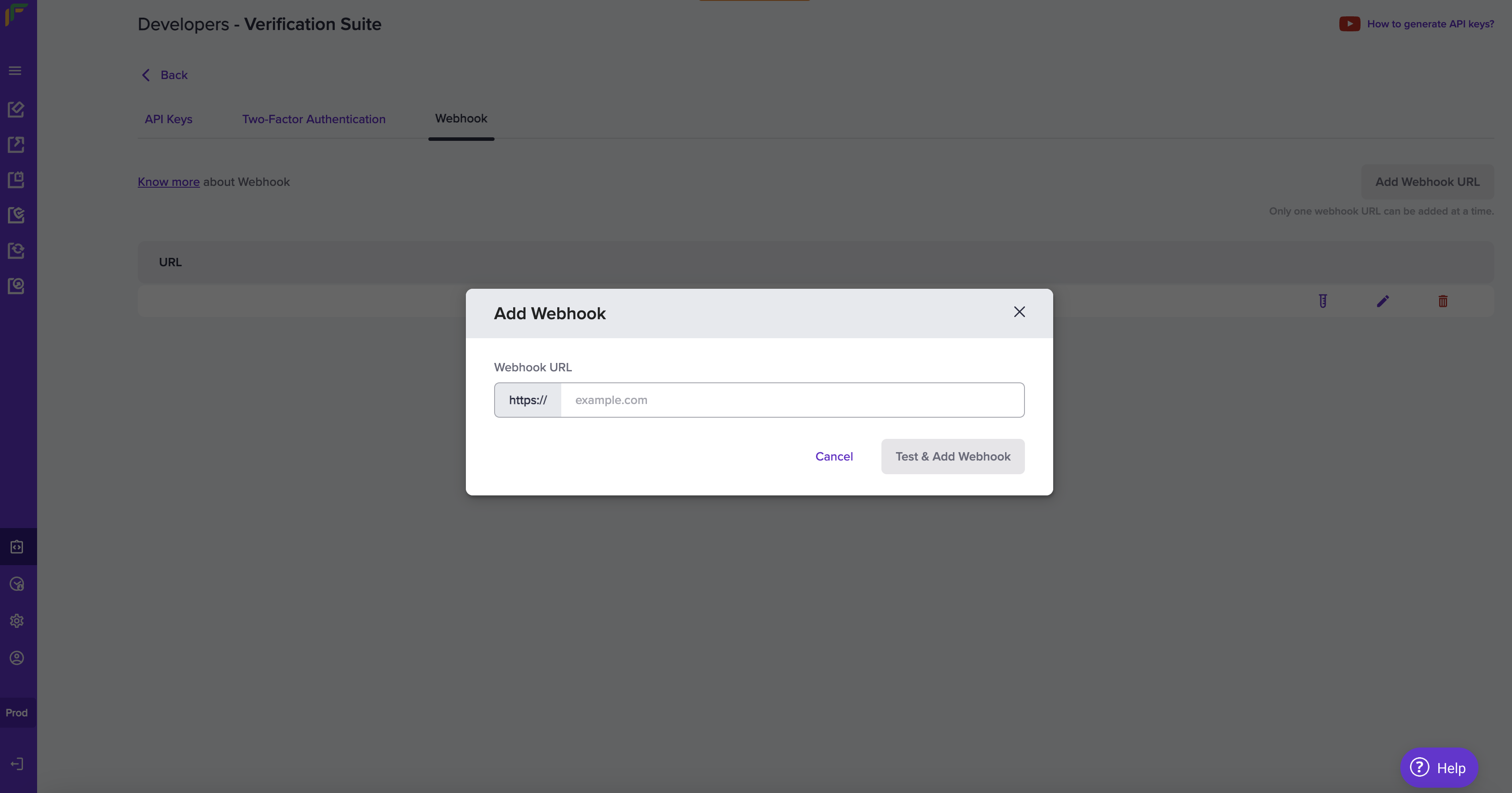
Add Webhook
Webhook event
The following events are triggered at different stages of the reverse penny drop verification process:
RPD_BANK_ACCOUNT_VERIFICATION_SUCCESS
RPD_BANK_ACCOUNT_VERIFICATION_SUCCESS
RPD_BANK_ACCOUNT_VERIFICATION_EXPIRED
RPD_BANK_ACCOUNT_VERIFICATION_EXPIRED
RPD_BANK_ACCOUNT_VERIFICATION_FAILURE
RPD_BANK_ACCOUNT_VERIFICATION_FAILURE
Webhook payload fields
The webhook payload contains important metadata in its top-level fields.Signature Verification
Verifying the signature is mandatory before processing any response. It helps authenticate that the webhook is from Cashfree. Follow the steps to verify the signature:- Sort the array based on keys.
- Concatenate all the values in this array and the resultant is the post data (postData).
- Encrypt the
postDatawith SHA-256 and Base64-encode it. - Verify that the calculated signature matches the signature received.
- Continue processing only if the signatures match. Otherwise, discard the request.
- Ensure that the
clientSecretyou use belongs to the oldest active key pair.
Java code - for reference