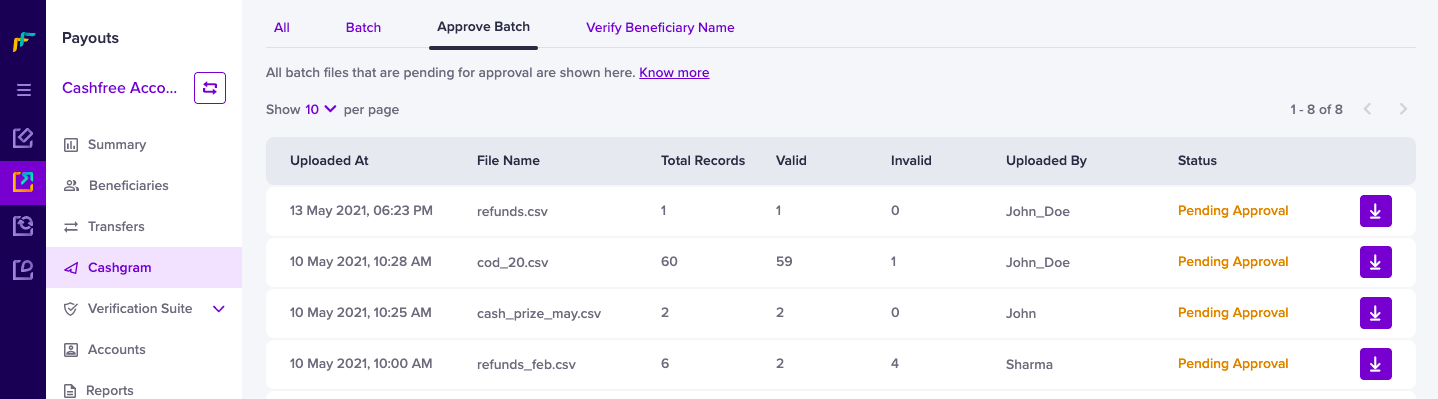
To manage a large number of Cashgrams at once Batch Upload of Cashgrams is supported. Since it involves processing all the Cashgrams at once, you may want to check and approve it before it is sent to the respective beneficiaries. To do this, you have to create an approver profile within Cashfree Account and after it gets approved by the approver, Cashgrams will be sent to beneficiaries. All the Cashgrams that are pending approval will be shown in the Approve Batch section as shown below:Documentation Index
Fetch the complete documentation index at: https://www.cashfree.com/docs/llms.txt
Use this file to discover all available pages before exploring further.

- Log in to the Merchant Dashboard.
- Go to Payouts Dashboard > Cashgram > Approve Batch.
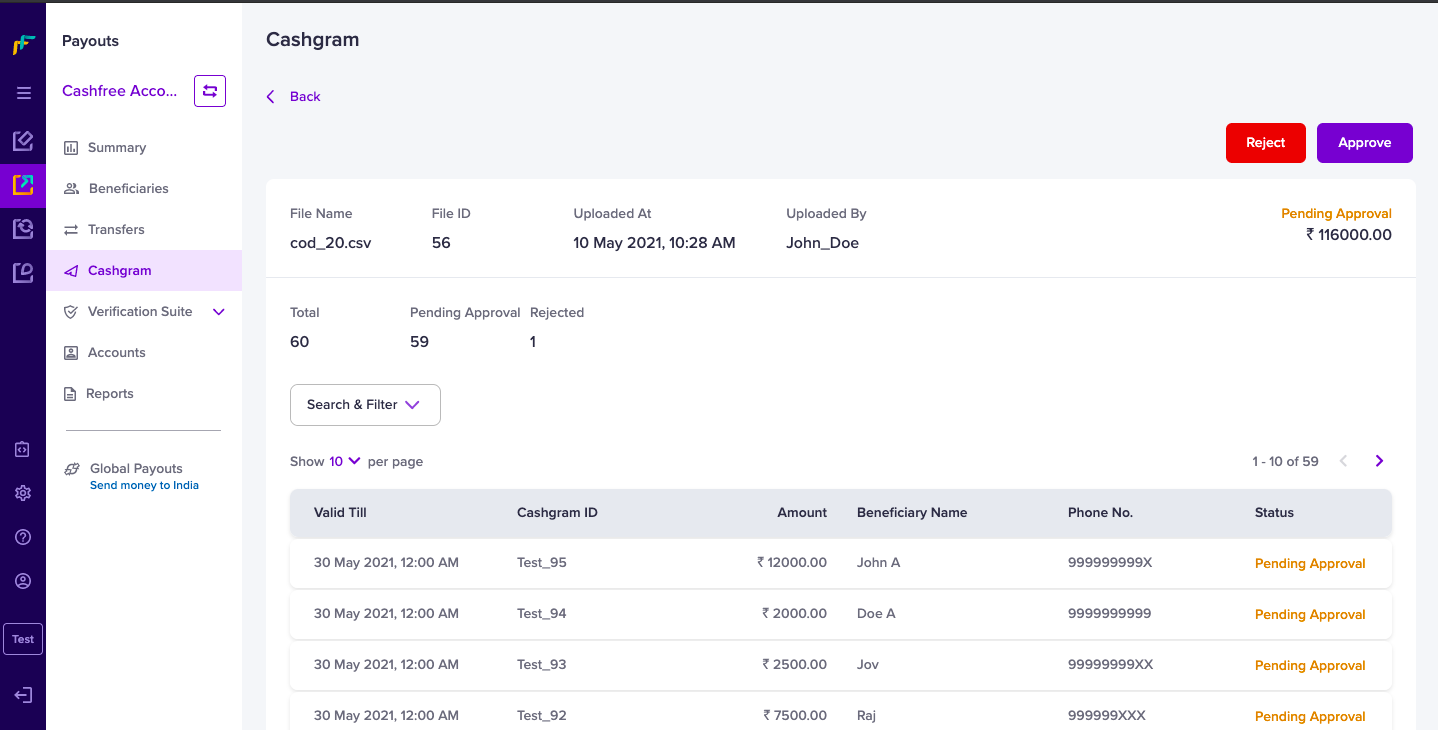
- Select the file you want to approve, and click Approve. All file details and the details of the individual who uploaded the file will be displayed here as shown below: