Initiate a payout
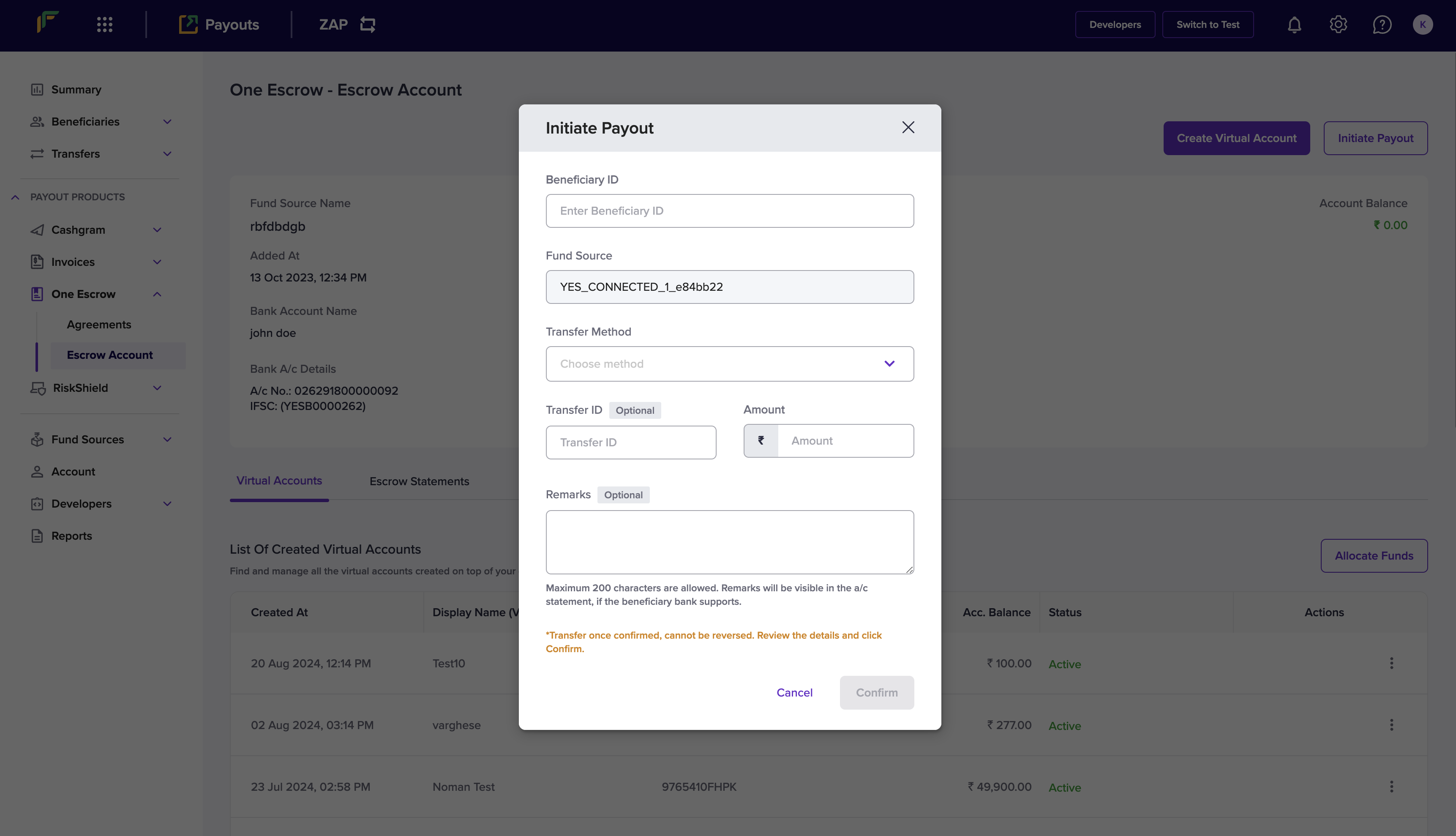
Follow the instructions below to initiate a payout from the virtual account:- Log in to the Merchant Dashboard.
- Go to Payouts Dashboard > One Escrow > Escrow Account.
- Click Allocate Funds in the One Escrow - Escrow Account page.
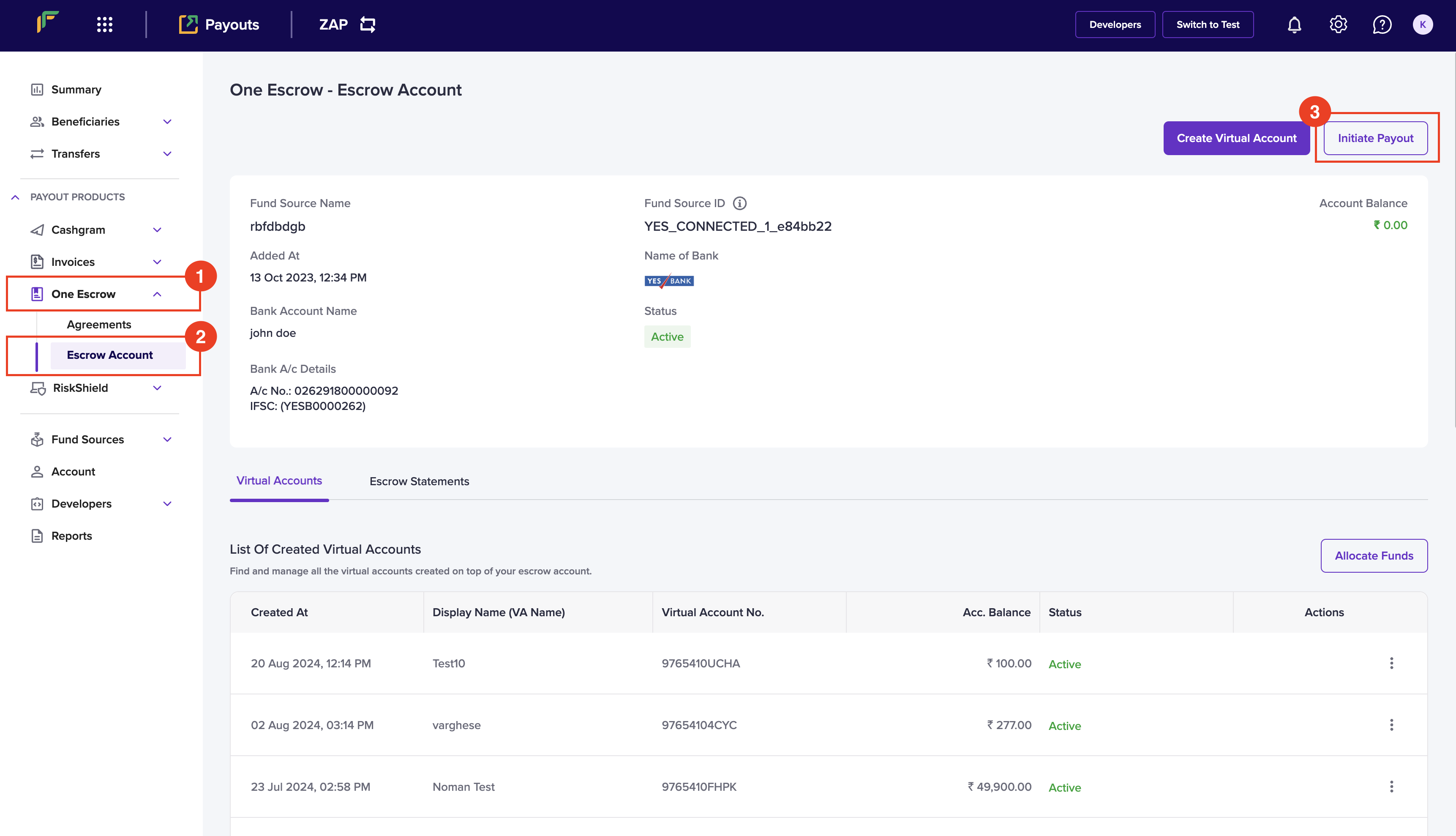
- Enter the following information in the Initiate Payout popup:
- Beneficiary ID - Enter the ID of the beneficiary that you want to transfer the amount.
- Fund Source - Select the fund source that you want to debit the transfer amount.
- Transfer Method - Choose a transfer method from the dropdown menu.
- Transfer ID - Enter a unique ID to identify the transfer. This is an optional field.
- Amount - Enter the amount you want to transfer.
- Remarks - Enter any remarks.
- Click Confirm.