View downtime incidents
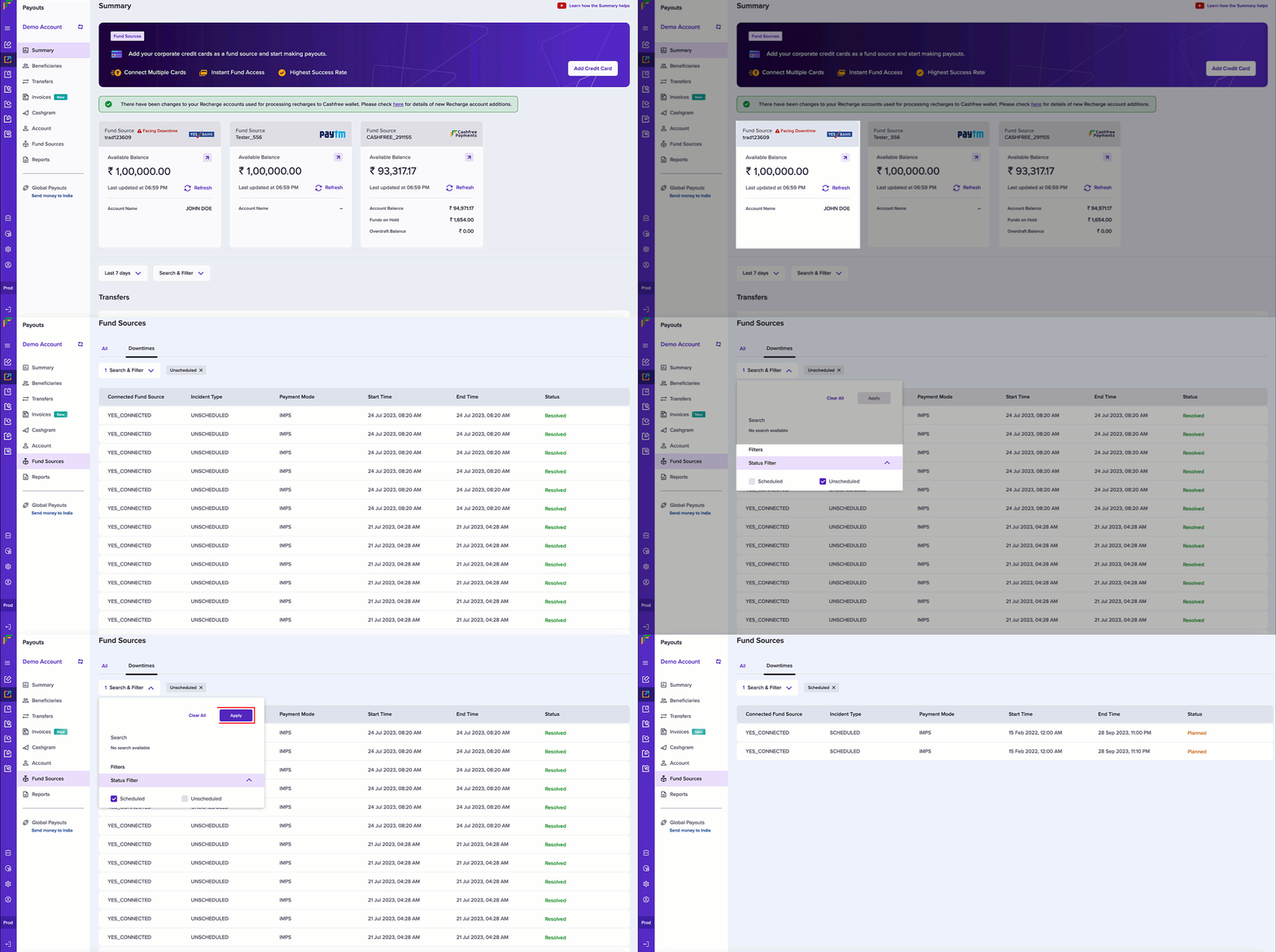
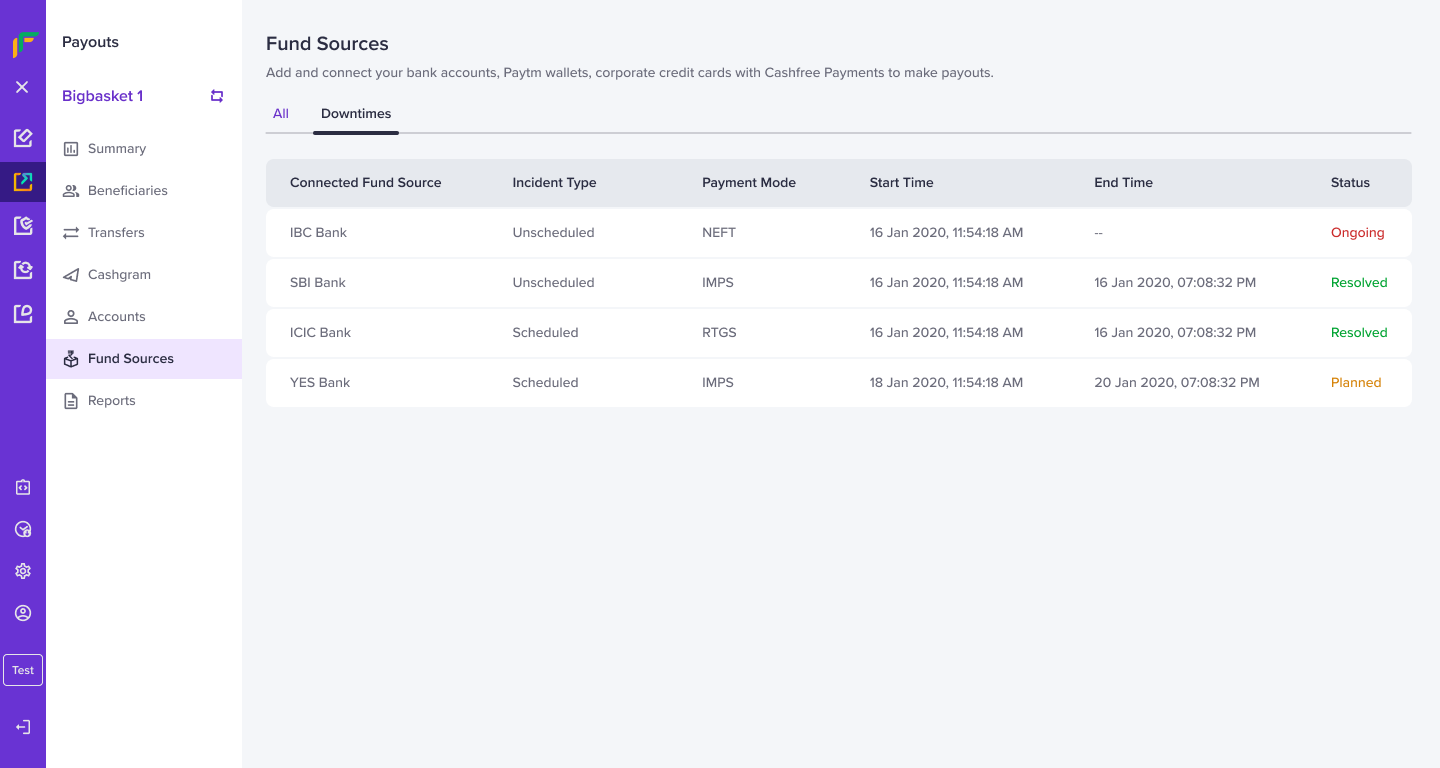
Follow the instructions below to view the downtime incidents:- From the Payouts dashboard, click Fund Sources > Downtimes.
- Click Search & Filter to sort the downtime incidents. Use the checkboxes to sort by scheduled, unscheduled, or both the incidents. Click Apply.
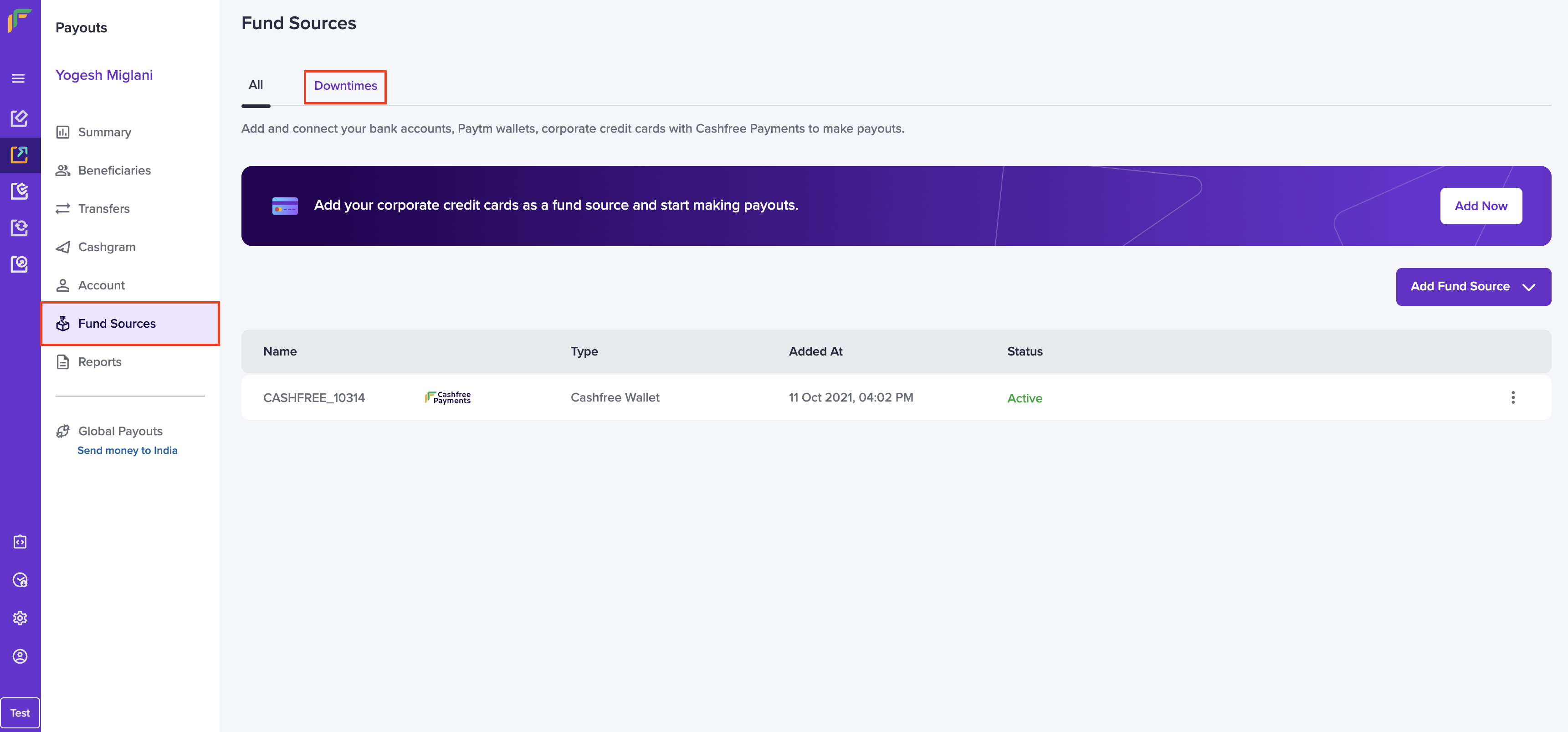
- The table gives you the following information:
- Connected Fund Source: It specifies the fund source that is either impacted or to be impacted.
- Incident Type: It informs you of the type: scheduled or unscheduled.
- Payment Mode: It specifies the mode of transfer.
- Start Time: It specifies the start date and time of the downtime incident.
- End Time: It specifies the end date and time of the downtime incident.
- Status: It informs you of the status of the downtime incident.
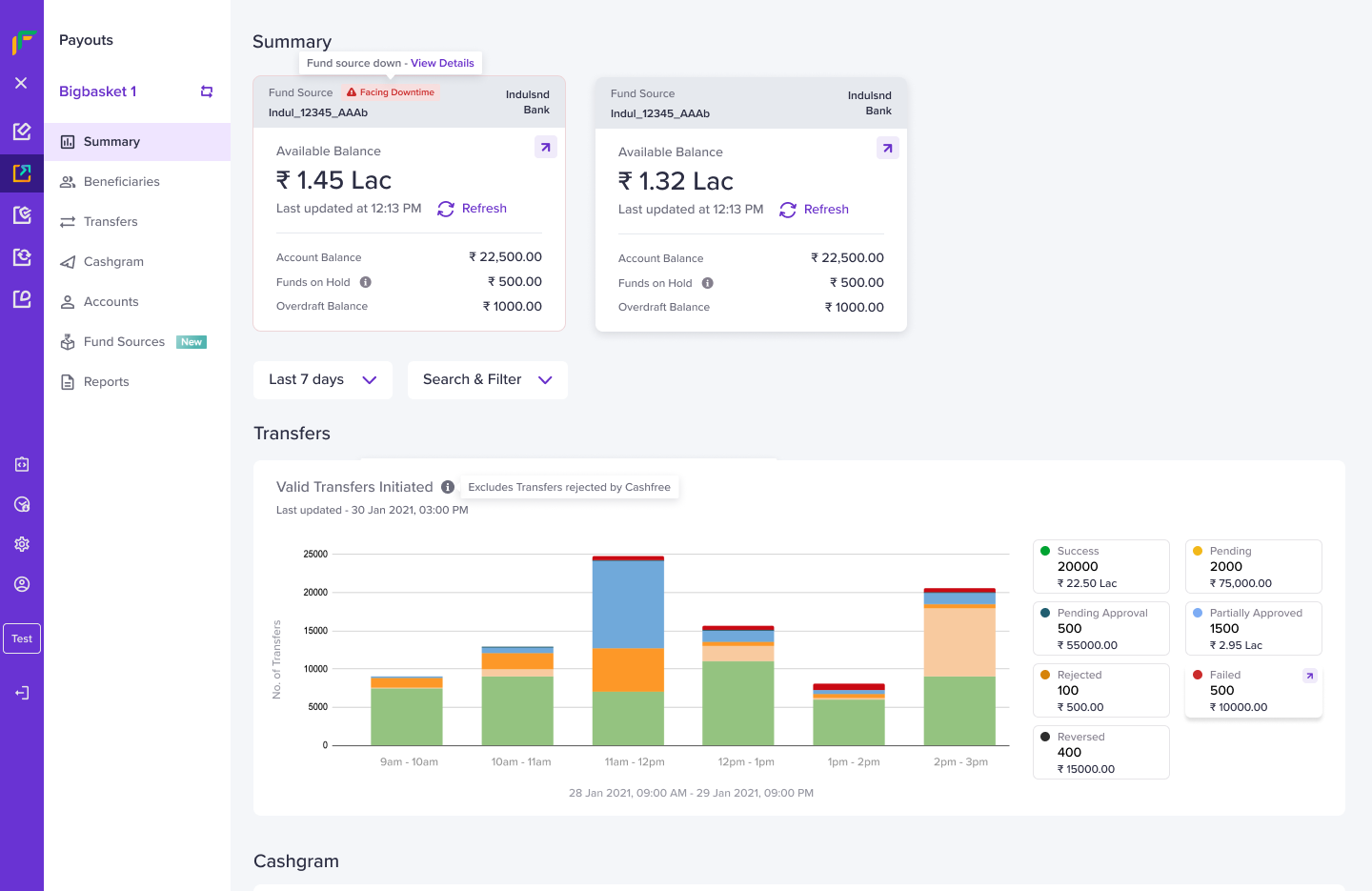
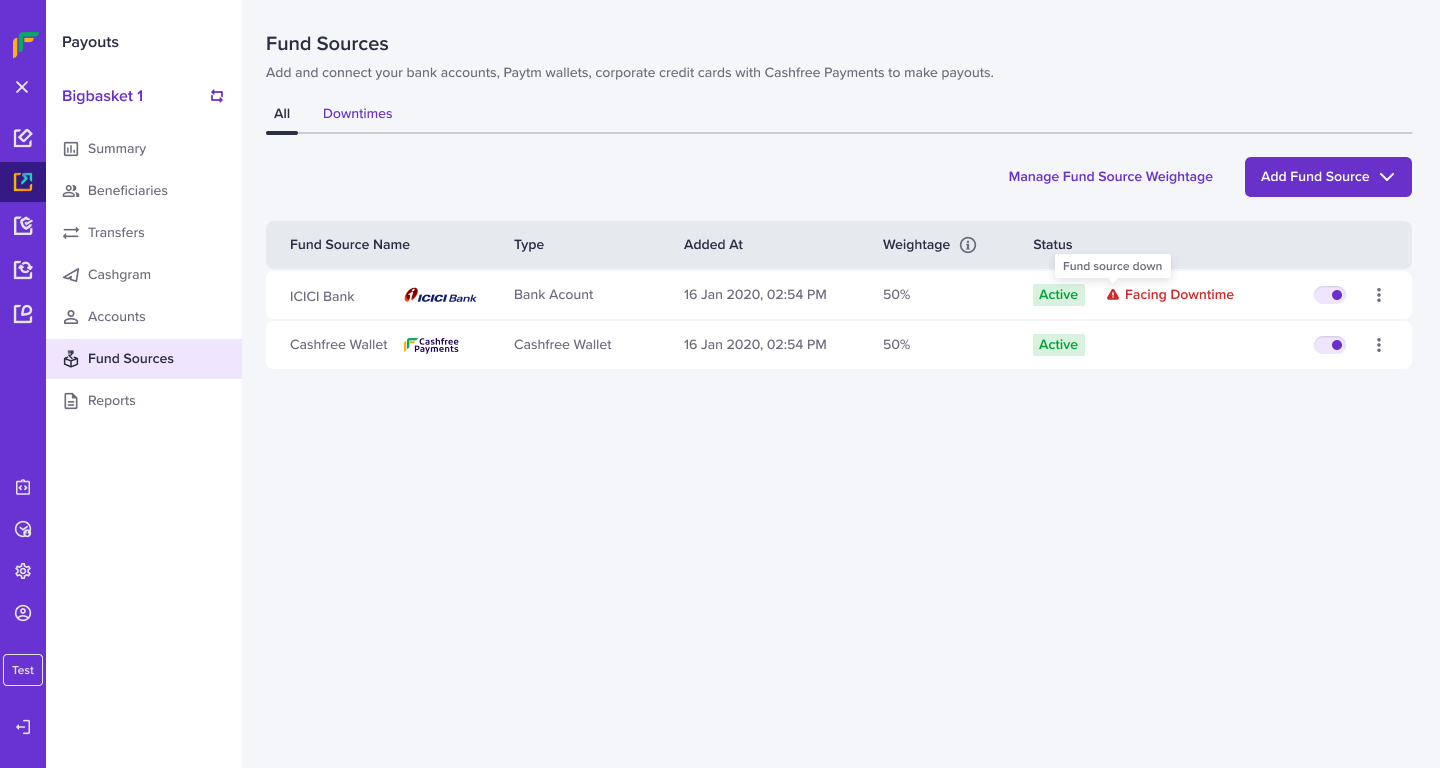
Downtime AlertsYou can also view the downtime alerts from the Summary and Fund Sources pages.