Virtual accounts help streamlines the management of funds, enhance tracking capabilities, and simplify the financial process.Documentation Index
Fetch the complete documentation index at: https://www.cashfree.com/docs/llms.txt
Use this file to discover all available pages before exploring further.
Create a virtual account
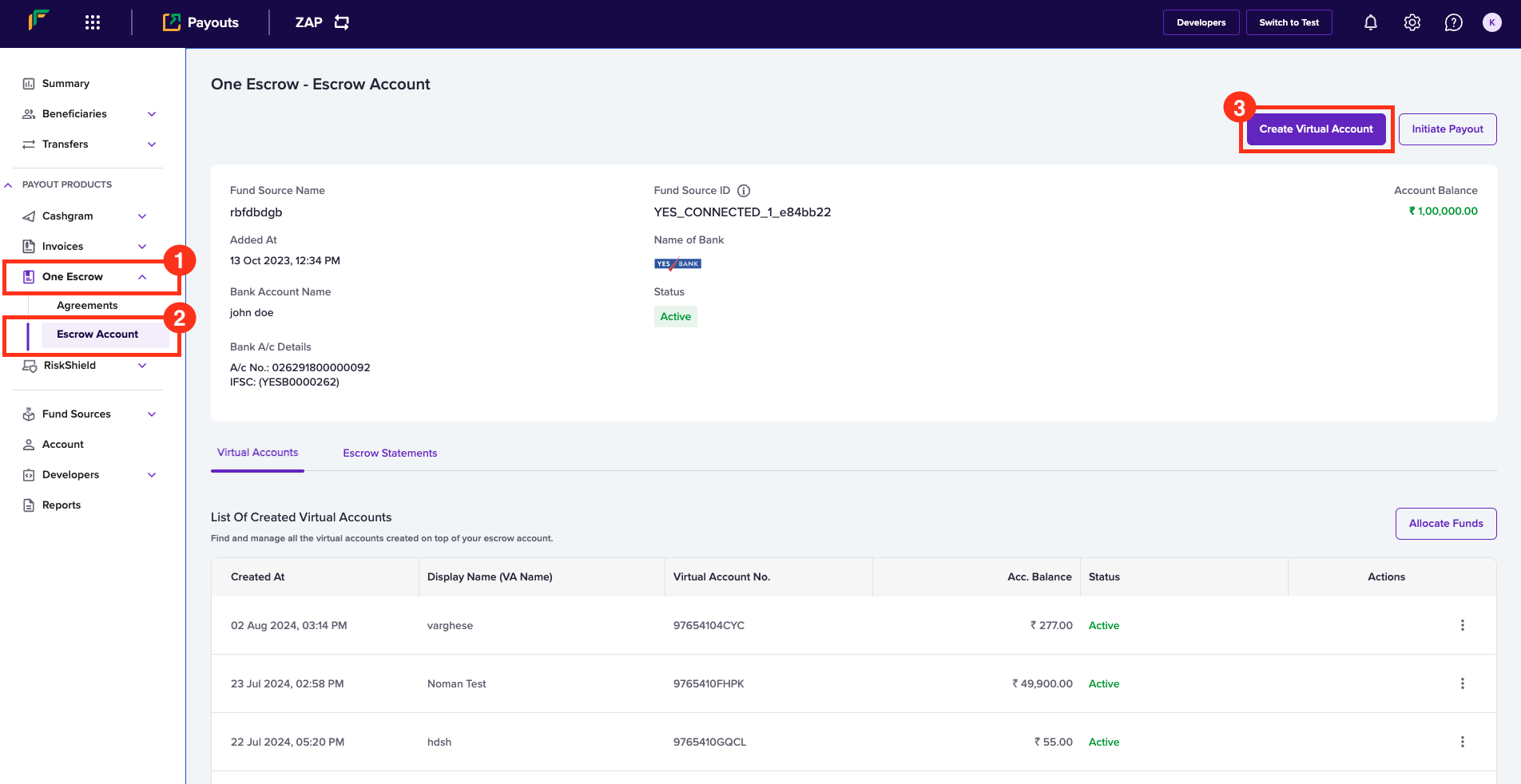
Follow the instructions below to create a virtual account:- Log in to the Merchant Dashboard.
- Go to Payouts Dashboard > One Escrow > Escrow Account.
- Click Create Virtual Account in the One Escrow - Escrow Account page.

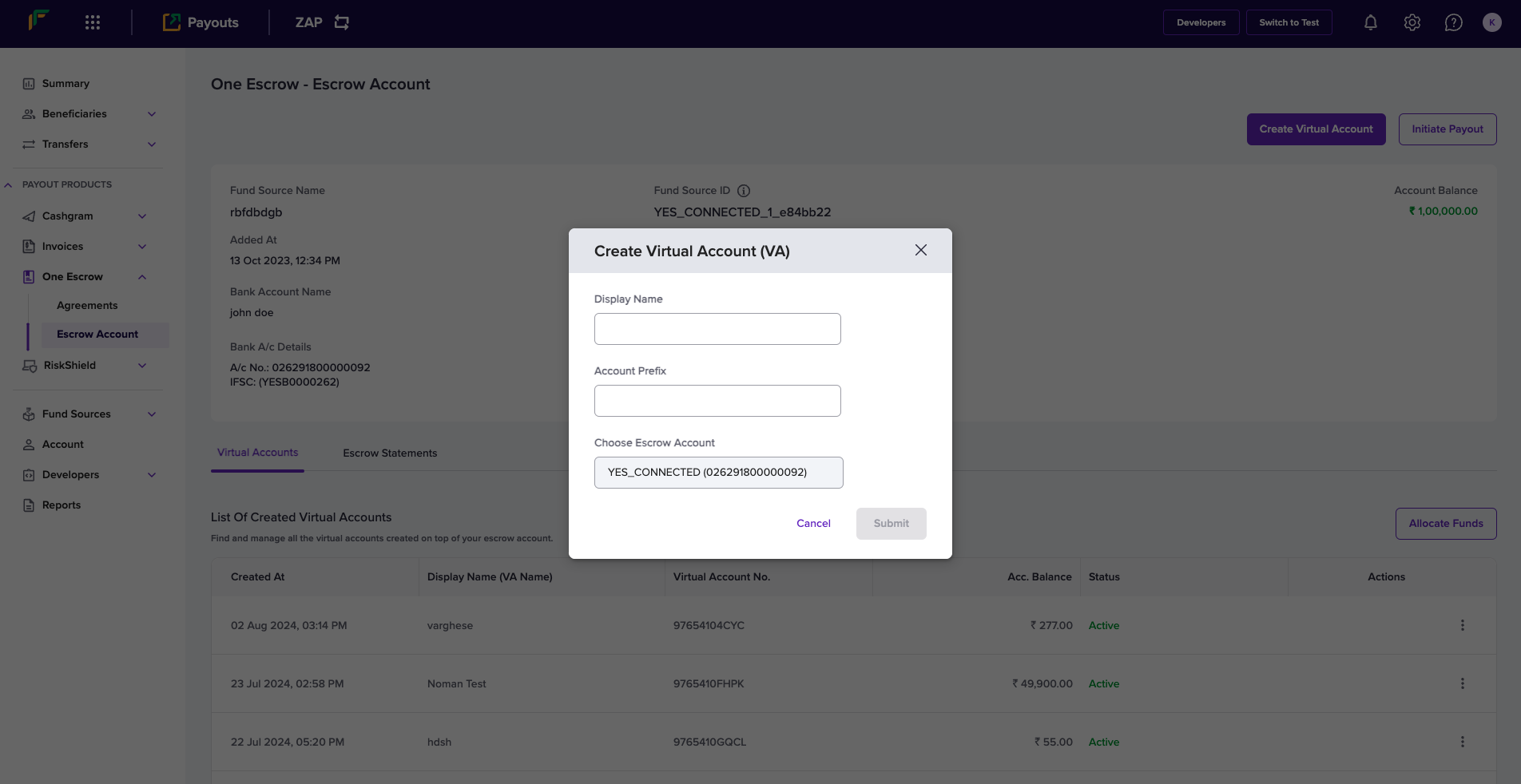
- In the Create Virtual Account (VA) popup, enter the following information:
- Display Name: Enter the name you want to display for the virtual account.
- Account Prefix: Enter the account prefix as allocated by the bank.
- Choose Escrow Account: Use this field to select the escrow account.
- Click Submit.