Generating a payment handle
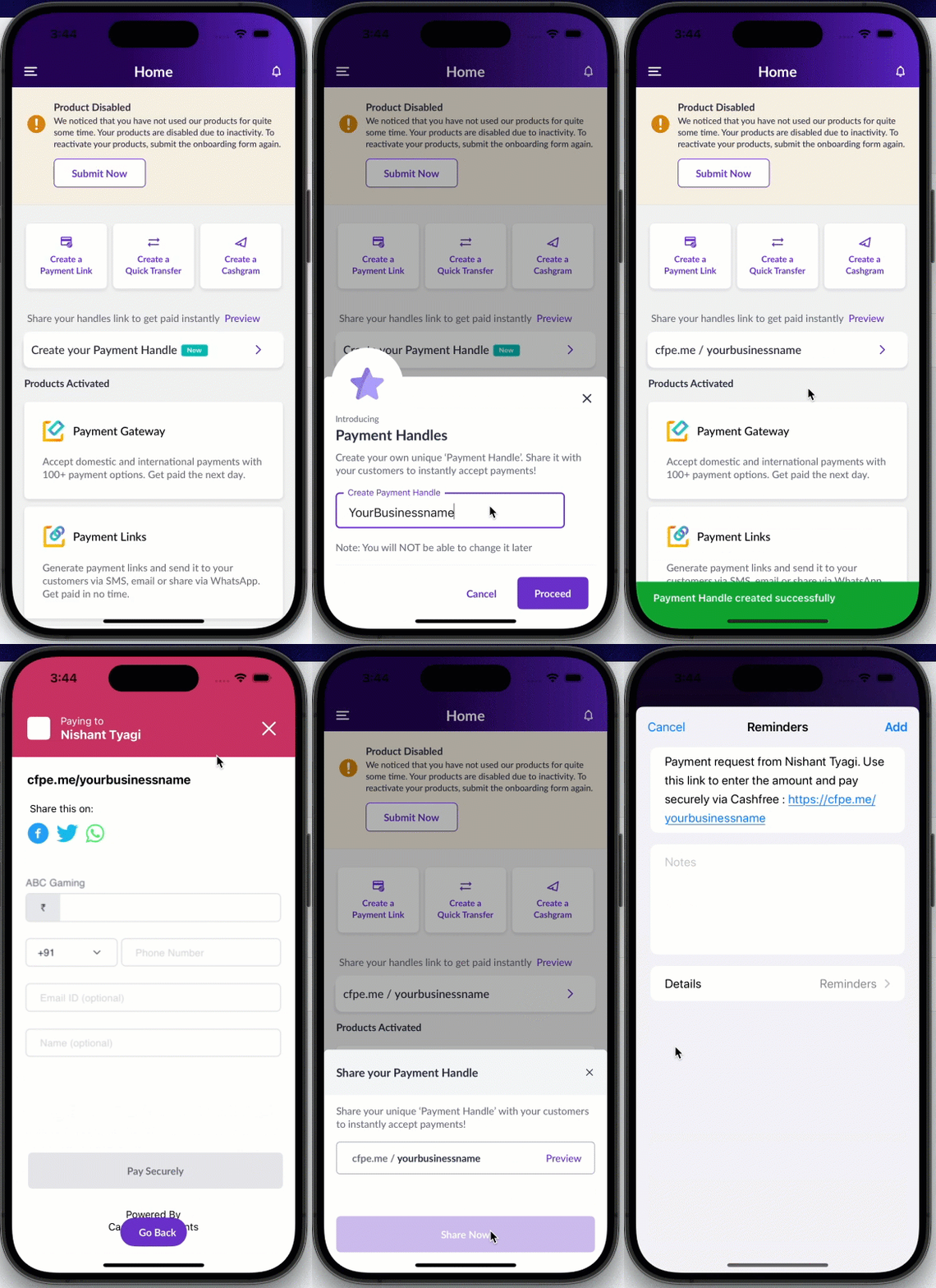
- Open the Cashfree Merchant app on your mobile device.
- Tap Create Your Payment Handle on the home page.
-
In the Payment Handles modal, enter your unique payment short link in the following format:
cf.pay/<business_name>. For example,cf.pay/@dream11. - Tap Proceed to generate the payment handle.
- Tap Preview to view the payment link form.
- Tap Share Now and share it with customers via SMS, WhatsApp, email, or any other messaging platform.