

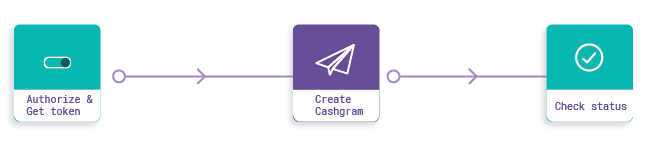
- Setup
- Initialisation and Authorisation
- Create Cashgram
- Get Cashgram Status
Step 1: Setup
Get your corresponding clientId and clientSecret from your payout dashboard and ensure that your IP is whitelisted. Check our development quickstart here. Host URL: Use the following URL for PROD and TEST, respectively:- For the production environment: https://payout-api.cashfree.com
- For the test environment: https://payout-gamma.cashfree.com
Step 2: Initialisation and authorisation
Call the authenticate API to Cashfree’s system/server to obtain an Authorization Bearer token. All other API calls must have this token as Authorization header in the format ‘Bearer <token>’ (without quotes) to get processed.Step 3: Create cashgram
Create a Cashgram that can be sent directly to your end customer by passing their relevant information.cashgramLink is returned directly in the data object of the response. You can use this link to deliver the Cashgram through your own application or interface rather than relying on Cashfree’s automated delivery.