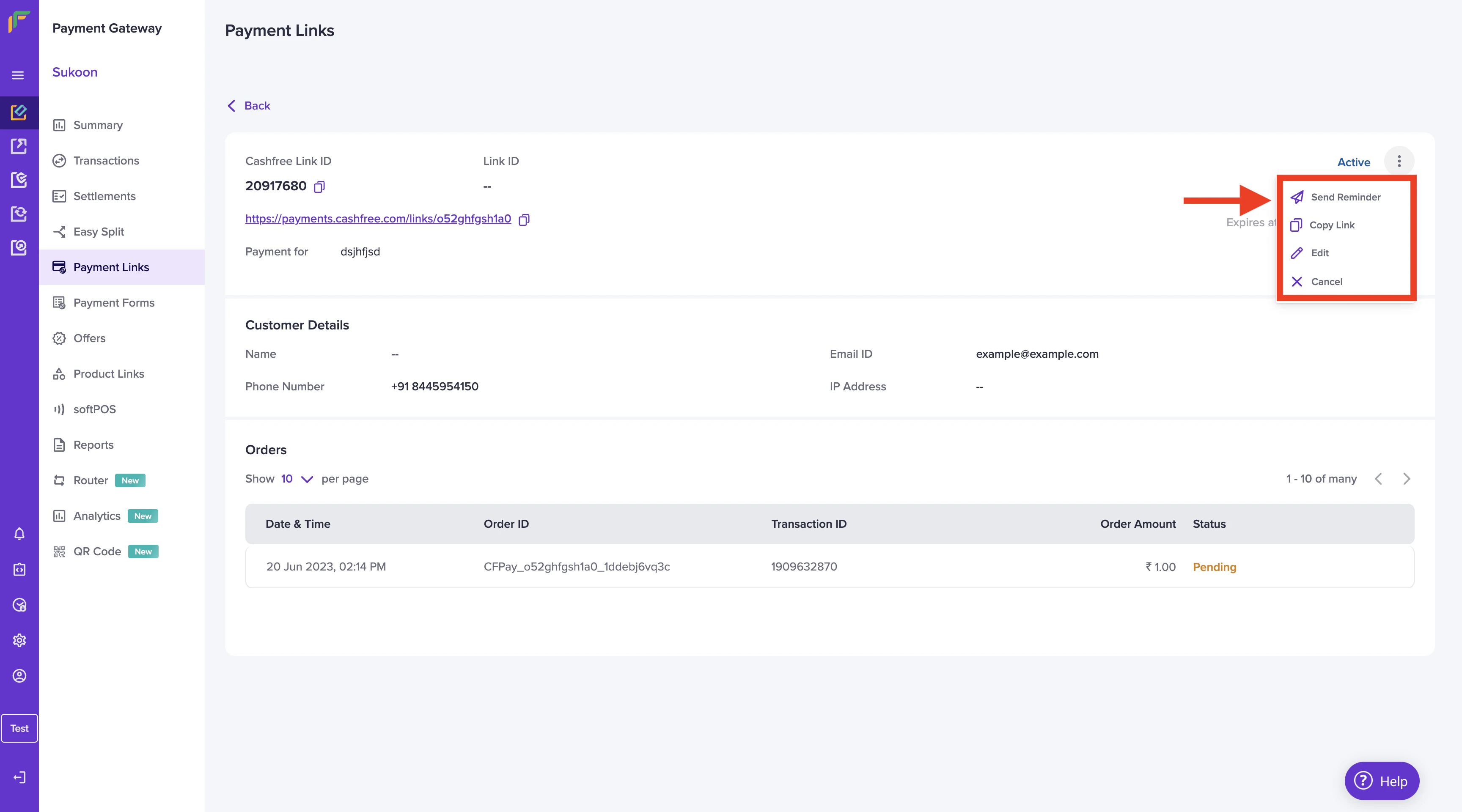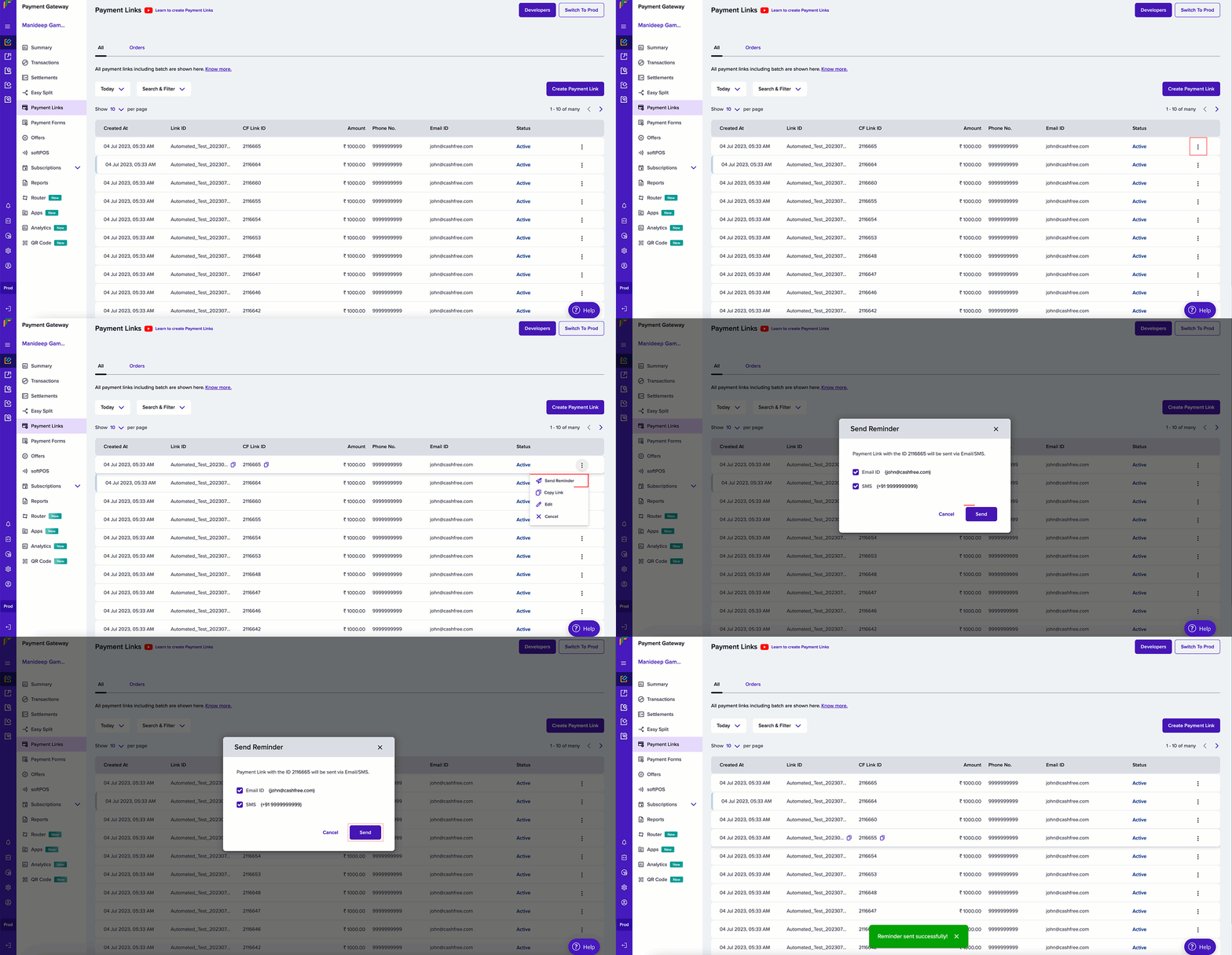
- Based on payment link creation date - 1, 2, 3, 7, 14 days after creating the link
- Based on payment link expiry date - 1, 2, 3, 7, 14 days before the payment link expires
Customise a Payment Link
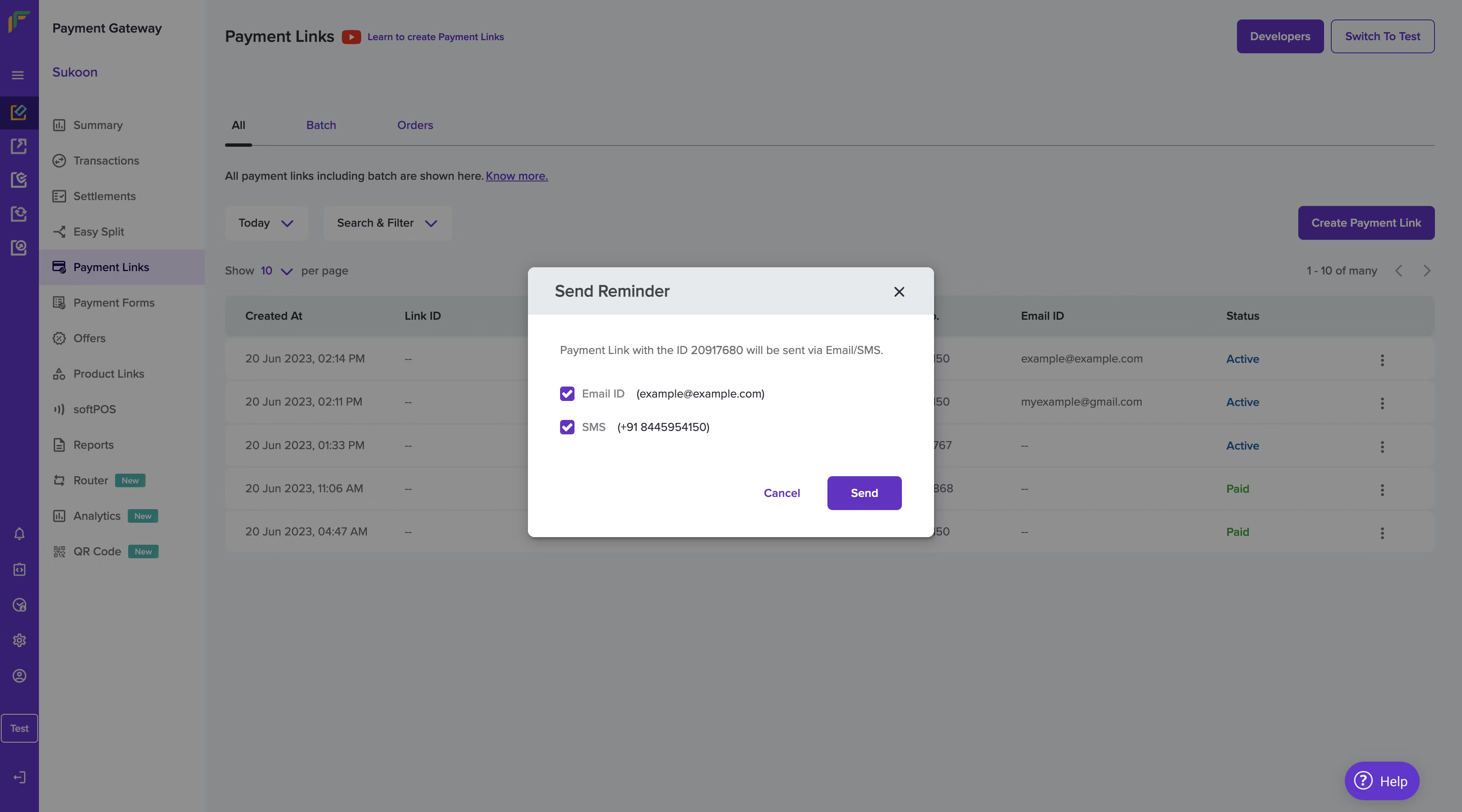
Send Reminder
Send automated Cashfree payment link reminders over SMS, email, or WhatsApp so customers complete pending invoices without manual follow-up by your team.
With Cashfree Payment Links, you can send auto-reminders to your customers about the payment via SMS and email. When you create Payment Links and if the option Send Auto Reminders is enabled, by default, reminders will be sent 1 day after creating the payment link, the subsequent day, and 1 day before the payment link expires. All reminders will be sent between 12 PM to 6 PM.
You can also decide when to remind your customers based on your business requirements. You can send a maximum of three reminders for a particular payment link. Contact your account manager to set the required payment reminder options for your account.
You can send any 3 payment reminders from the following available options:
Was this page helpful?