Wix is a leading cloud-based development platform that empowers you to create, design, and run your business online. Integrate Wix with Cashfree Payment Gateway easily without any code and start accepting payments from customers. All major payment methods such as debit card, credit card, UPI, net banking, wallets are supported to accept payments on Wix. This is one of the most important features of your Wix payment gateway in India.Documentation Index
Fetch the complete documentation index at: https://www.cashfree.com/docs/llms.txt
Use this file to discover all available pages before exploring further.
Steps to integrate Cashfree Payments with Wix
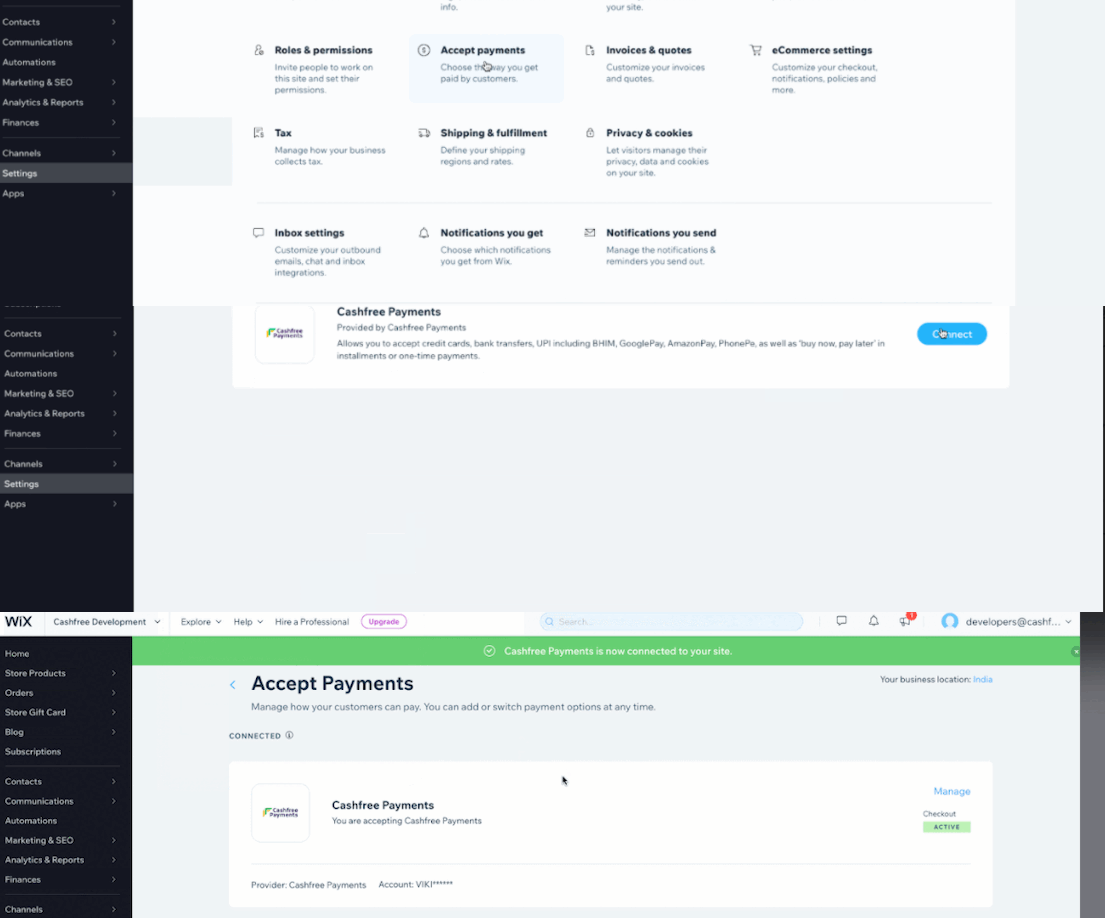
To integrate Wix with Cashfree Payments,- Log in to your Wix account and click Settings.
- In the Settings page select Accept Payments.
- In the Accept Payments screen, scroll down and click See More Payment Options.
- Select Cashfree Payments and click Connect.
- Enter your App ID and Secret Key of your Cashfree Account. Follow the steps given in this link to get API keys.
- Click Connect to integrate Cashfree Payment with your Wix account.
Read about whitelisting your store url
before you can accept payments on your store.